


Wondering how to tag everyone for Birthday wishes on Facebook without missing anyone? Manually tagging each friend can take forever and still feel incomplete. There’s a faster and cleaner way to do it in one single post. Learn how with Video Download Free in this News article.
Quick Guide
To tag everyone for birthday wishes on Facebook, the easiest approach is to post a single public “thank you” message on your timeline and tag friends as you respond. You can mention individuals by typing @ followed by their name, or use Facebook’s occasional prompt that lets you reply to multiple birthday comments at once. Keep in mind that the @everyone tag only works in Groups, not on personal profiles, so manually tagging friends is the most reliable way to acknowledge their birthday wishes.
How to tag everyone for Birthday wishes on Facebook
If you received many birthday wishes, tagging everyone in one post can be a quick and thoughtful way to show appreciation. This section explains how to tag friends properly on Facebook so your thank-you message reaches the people who made your birthday special.
Create a single “Thank You” post (Recommended)
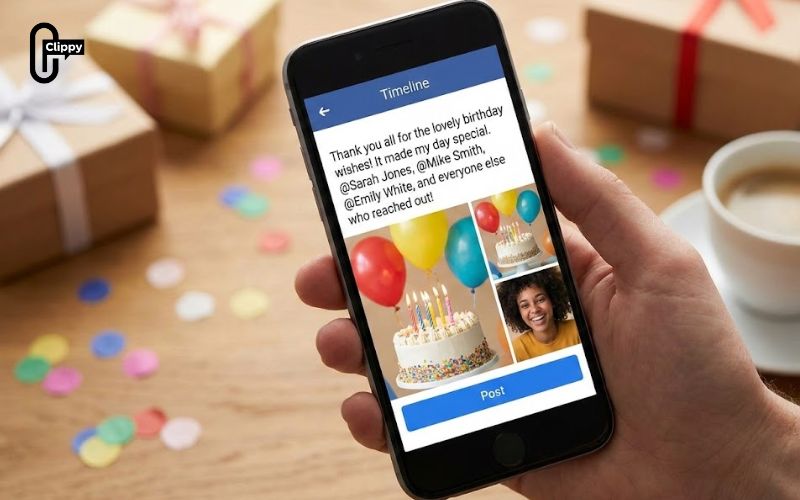
If you want a fast and simple way to acknowledge all the birthday wishes on your Facebook timeline, creating one thank-you post and tagging friends is an effective option. The steps below show how to do it properly so your message feels both visible and personal.
- Create a thank-you post: Visit your profile and write a short message such as “Thank you all for the lovely birthday wishes!” or any wording that feels natural to you.
- Tag friends in the post: Type the @ symbol followed by a friend’s name, then select them from the suggestion list to tag them.
- Highlight specific people: To add a personal touch, mention a few close friends or reference a meaningful wish before tagging them.
- Publish your post: Once posted, it will appear on your timeline and notify the tagged friends while also being visible to your wider audience.
Use Facebook’s built-in feature (If available)
If you want to thank everyone at once without tagging friends manually, Facebook sometimes offers a built-in feature to make the process easier. This option lets you create a single thank-you post that automatically includes everyone who wished you a happy birthday.
- Look for the birthday prompt: After your birthday, scroll through your timeline until you see a message like “XX friends posted on your timeline for your birthday.”
- Check for the suggested option: Facebook may display a prompt such as “Create a post and tag your friends to thank them.”
- Follow the guided steps: Tap the option and complete the on-screen instructions to generate a thank-you post.
- Publish the post: Once shared, the post will appear on your timeline and notify everyone who sent you birthday wishes.

Best Practices to Thank Friends Without Over-Tagging
While tagging can help your thank-you message reach the right people, overusing tags may annoy friends or clutter notifications. Following best practices ensures your gratitude feels genuine rather than spammy.
- Limit tags to relevant friends: Only tag people who actually wished you a happy birthday to keep notifications meaningful.
- Combine tagging with warm wording: A heartfelt message matters more than the number of tags you include.
- Avoid repeated tagging: Don’t tag the same people across multiple thank-you posts, as this can feel excessive.
- Consider private replies for close friends: For best friends or family, replying via comments or Messenger may feel more personal.
- Use one clear thank-you post: A single, well-written post is often the cleanest and most respectful way to show appreciation.
Important notes when tagging friends for Birthday thank-you posts
Tagging friends in a birthday thank-you post can be thoughtful, but there are a few things you should know to avoid confusion or awkward notifications. Keeping these points in mind will help your message feel polite, timely, and well-received.
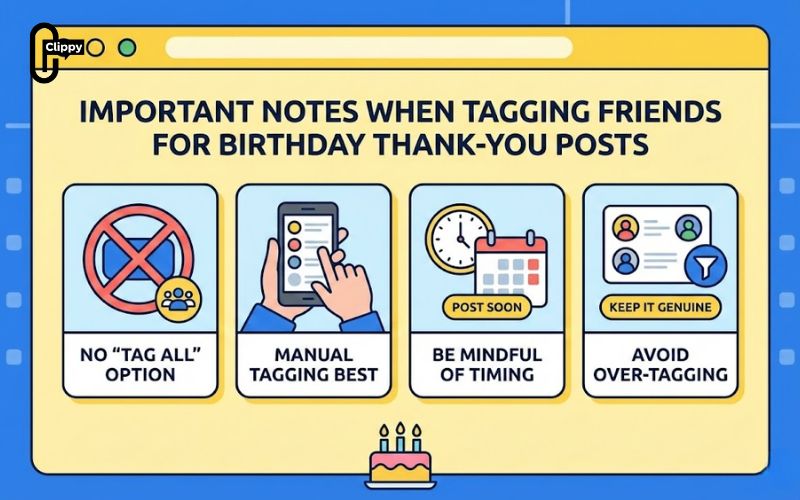
- No universal “Tag All” option: Facebook doesn’t offer a single button to tag all friends on a personal timeline at once. This feature is usually limited to Groups, not personal profiles.
- Manual tagging works best: The most reliable approach is to tag friends manually in one main thank-you post or reply directly to individual comments.
- Be mindful of timing: Posting your thank-you shortly after your birthday increases visibility, while friends are still active and seeing birthday-related notifications.
- Avoid over-tagging: Tagging too many people unnecessarily can feel spammy, so it’s best to mention only those who posted wishes or were especially close.
- Keep it respectful and genuine: A simple, sincere message goes further than excessive tagging – gratitude matters more than notifications.
FAQs about tagging friends for Birthday wishes on Facebook
Many users still have questions about tagging friends when saying thank you for birthday wishes on Facebook. This FAQ section clears up common concerns so you can avoid mistakes and use tagging features correctly.
Can I tag all friends at once in a birthday thank-you post?
No. Facebook does not provide a “tag all friends” feature on personal timelines. You must tag friends manually or use Facebook’s suggested birthday thank-you prompt if it appears.
Why doesn’t the @everyone tag work on my profile?
The @everyone tag only works inside Facebook Groups. It is not available on personal profiles or Pages, so manual tagging is required.
Will friends get notified if I tag them in a thank-you post?
Yes. Tagged friends will receive a notification, which is why you should only tag people who actually sent birthday wishes.
Is it better to tag friends or reply to comments individually?
Both are acceptable. Tagging in one post saves time, while individual replies feel more personal – choose based on how many wishes you received.
Now you know how to tag everyone for Birthday wishes on Facebook without stress or confusion. While there’s no single “tag all” button, smart alternatives make it easy. A thoughtful thank-you post goes a long way. Use these tips to wrap up your birthday with gratitude and style.

