

Many people search for how to know who views your Instagram profile out of curiosity, privacy concerns, or the need to understand their audience for business purposes. Instagram gives users several ways to track engagement, but it still does not provide a full list of everyone who visits your profile. Instead, different tools and features can help you identify who is most likely viewing your account.
In this guide, Video Free Download App will explain what Instagram currently allows, how the new Profile Views beta works, and the most reliable methods to understand how to know who views your Instagram profile safely and accurately.
Key Takeaways
- Instagram does not currently provide a full list of who viewed your profile, so there is no direct method for how to know who views your Instagram profile.
- A limited Profile Views beta is being tested in 2025, but it has not been released worldwide and does not have an official launch date.
- The most reliable ways to understand how to know who views your Instagram profile include checking Story viewers, analysing Insights, monitoring post engagement, and observing follower behaviour.
- Instagram Live viewer lists offer real-time insight into who is actively engaging with your content.
- Third-party apps claiming to show profile viewers are unsafe and violate Instagram’s policies.
- Adjusting your privacy settings can reduce unwanted profile visits and give you more control over who sees your content.
Can You Actually See Who Viewed Your Instagram Profile?
As of November 2025, Instagram does not offer a built-in feature that shows the complete list of people who have visited your profile. This restriction exists to protect user privacy and to maintain natural, friction-free browsing across the platform. Because of this, any app that claims to show you how to know who views your Instagram profile is misleading and may put your account at risk.
However, Instagram has begun testing a new Profile Views feature with a small group of users. Early beta testers have reported seeing a dedicated tab in the Activity section that displays visitors from the last 7 to 30 days. This feature is still experimental and has not been released globally. A wider rollout is expected in late 2025 or early 2026, but Instagram has not provided an official launch date.
The concept of revealing profile viewers has also sparked mixed reactions. While some users welcome transparency, many feel it violates privacy. Casual browsing on Instagram is extremely common, and many people prefer to look at profiles without being identified.
According to a recent Hootsuite survey:
- 61% of users would feel uncomfortable if profile views became visible
- 39% said they would reduce how often they visit other profiles
These findings suggest that making profile views public could significantly change user behaviour and reduce profile exploration across the platform.
>>> See more: Can People See Who You Follow on Instagram?
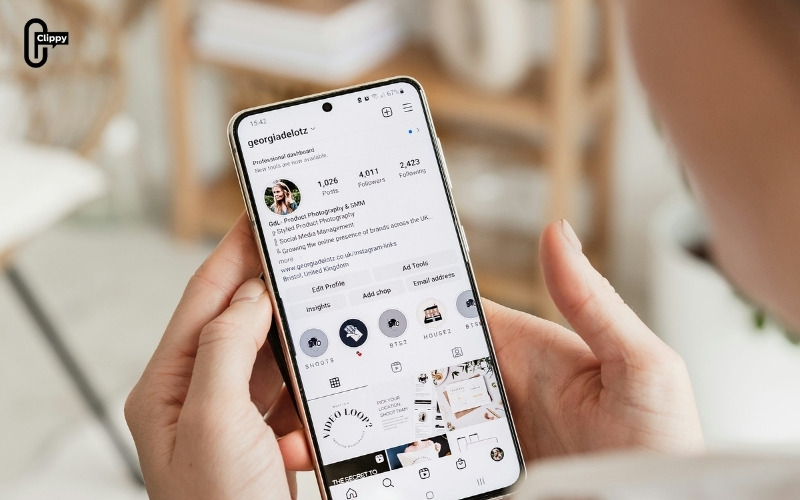
How to Know Who Views Your Instagram Profile: Reliable Methods
Although Instagram does not directly show how to know who views your Instagram profile, several features can help you identify who is actively engaging with your content. These methods offer legitimate insight without violating Instagram’s policies.
Check Story Viewers
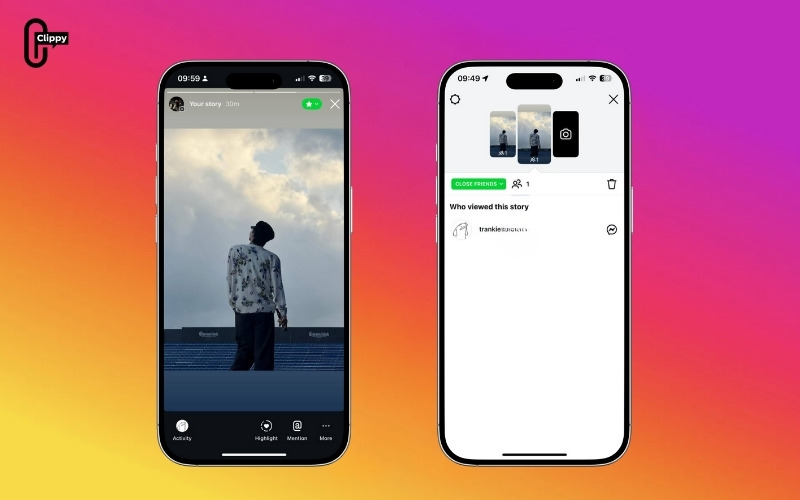
The most direct method for figuring out how to know who views your Instagram profile is to check your Story viewers. Every story displays a full list of accounts that viewed it, offering clear insight into who actively watches your content.
To check who viewed your story:
- Step 1: Open your story
- Step 2: Swipe up or look at the bottom of the screen
- Step 3: Review the list of accounts that viewed it
Users who consistently appear in your story views, especially those who watch every story, are very likely to visit your profile regularly. If you save stories to Highlights, you can continue reviewing performance data through Insights before the content expires.
>>> See more: Can You See Who Saved Your Instagram Post?
Use Instagram Insights (Creator or Business Accounts)
Switching to a Professional account unlocks Instagram Insights, a valuable tool for understanding how to know who views your Instagram profile from an analytics perspective.
To access Insights:
- Step 1: Go to your profile
- Step 2: Open the menu
- Step 3: Select Insights
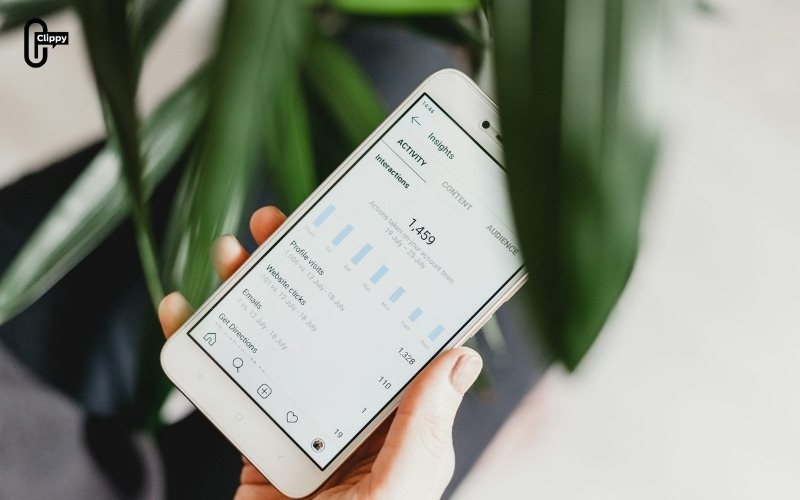
Insights can help you understand:
- How many people viewed your profile (Total profile visits)
- Which demographics engage most (Audience demographics)
- How your content performs over the last 7 or 30 days (Engagement trends over 7 or 30 days)
While Insights does not reveal usernames, the data helps you understand when your profile receives more attention and from which audience segments.
>>> See more: How Can You Know If Someone Blocked You on Instagram?
Track Engagement on Posts
Engagement data is another strong indicator of how to know who views your Instagram profile. Users who repeatedly like, comment on, or save your posts typically visit your profile before interacting.
Key engagement indicators include:
- Frequent likes from the same accounts
- Comments from recurring users
- Mentions or tags in other content
- Users who save your posts regularly
These patterns suggest ongoing interest in your account, even if Instagram does not reveal explicit profile visits.
Monitor Follower Activity Patterns
Follower behavior often reflects recent profile interactions. Most new followers view your profile before deciding to follow, and returning users may revisit your profile before engaging again.
Common signs of recent profile visits include:
- New followers are liking older posts immediately
- Previously inactive followers are engaging again
- Users who follow and unfollow repeatedly
These signals point to recurring profile views and growing interest in your content.
Check Viewers on Instagram Live
Hosting an Instagram Live gives you real-time visibility into who is watching your broadcast. Live viewer lists are a reliable indicator of how to know who views your Instagram profile, especially for users who join regularly. People who often watch your Live sessions are highly likely to be visiting your profile as well.

How to Increase Your Instagram Privacy
If you are concerned about who may be viewing your profile, Instagram provides several settings that allow you to control your visibility and manage who can interact with your content. Adjusting these options can significantly enhance your privacy.
- Switch your account to Private to limit profile access to approved followers.
- Remove any followers you do not recognise or do not want to share your content with.
- Restrict or block users who make you uncomfortable or who should not have access to your profile.
- Hide your activity status to prevent others from seeing when you are online.
- Turn off message requests from unknown users to avoid unwanted contact.
- Review and remove third-party apps connected to your Instagram account to reduce data exposure.
These adjustments help minimise unwanted profile views and give you stronger control over your privacy on Instagram.
>>> See more: Types of Instagram Accounts: Which One Is Right for You?

Conclusion
While Instagram does not currently reveal how to know who views your Instagram profile directly, unless you are part of the limited 2025 Profile Views beta, you can still identify likely visitors through Story viewers, engagement patterns, Insights analytics, follower behaviour, and Live session participants.
Understanding these signals gives you a clear picture of who is interested in your profile while staying within Instagram’s official policies.
Frequently Asked Questions
Will Instagram release a feature that shows profile viewers?
Instagram is testing this feature in beta, but it is not guaranteed for all users. A full global rollout is expected, but not officially confirmed.
Can someone tell if I view their Instagram profile?
No, unless you interact with their content or view their stories.
Do private accounts show profile visitors?
Private accounts restrict content access, but they do not show specific profile visitors.
Does a business or creator account reveal the exact profiles of viewers?
No. Professional accounts only provide analytics, not individual names.

