


Ever wondered if you can watch Facebook Stories without your name showing up? Many users want privacy but don’t know how Facebook tracks Story views. The good news is – there are safe ways to stay invisible. This guide reveals how to view Facebook stories anonymously step by step. Explore the full details with Video Download Free in this article.
Key Takeaways
- You can view Facebook Stories anonymously using specific techniques and tools.
- Facebook only shows viewer names to friends, not to non-friends.
- Muting, half-swiping, or using Airplane Mode helps reduce tracking.
- Third-party viewers work only for public profiles and require caution.
- Facebook Stories disappear after 24 hours and track active views only.
How to view Facebook stories anonymously
Viewing Facebook Stories anonymously lets you watch content without your name appearing in the viewer list. Follow the methods below to see Facebook Stories privately while minimizing your digital footprint.
Method 1: Half-Swipe from Nearby Stories
This technique lets you preview a Facebook Story without fully opening it, so your view isn’t recorded. The trade-off is that you won’t see the entire Story – only a partial preview but it’s a simple way to stay anonymous.
Step 1: Open the Facebook app and tap on any Story to start viewing Stories.
Step 2: When the next Story (the one you want to view anonymously) is about to appear, place your finger on the screen before the transition completes.
Step 3: Gently swipe left or right halfway, just enough to peek at the adjacent Story, and stop before it fully loads.
Step 4: Make sure the Story does not finish playing on your screen – this prevents Facebook from registering your view.
By only half-swiping and avoiding a full view, you can check Stories discreetly without your name showing up in the viewer list.
>>> See Also: How to block Facebook stories: Simple steps anyone can do

Method 2: Use Airplane Mode
Switching your device to Airplane Mode temporarily cuts off the internet connection, which can prevent Facebook from recording your Story view. Since the app can’t sync viewing data while you’re offline, this method allows you to watch Stories more privately. It’s simple to use, but timing is important.
Step 1: Open the Facebook app on your iOS or Android device and log in to your account. Wait until the home feed loads and the Stories appear at the top of the screen.
Step 2: Turn on Airplane Mode to disconnect from Wi-Fi and mobile data. Once offline, return to the Facebook app and tap the Story you want to view. The Story will start playing if it was preloaded.
Step 3: After finishing the Story, force close the Facebook app completely before turning off Airplane Mode. This prevents the app from syncing your activity once the internet connection is restored.
Keep in mind that some Stories may not load while Airplane Mode is enabled. In that case, you’ll need to briefly reconnect to preload them, then repeat the process.

Method 3: Block the User After Viewing the Story
If you’ve already watched someone’s Facebook Story and are worried they’ll see your name, there’s still a way to hide your identity. By blocking the user after viewing the Story, Facebook removes your profile from their visible viewer list, making your view anonymous. This method works best when used carefully and temporarily.
Step 1: Go to the profile of the person whose Story you have already viewed.
Step 2: Tap the three-dot (⋯) menu on their profile, then select Block from the options.
Step 3: Once blocked, your name will no longer appear in the Story viewer list, and the user won’t be able to identify you as a viewer.
Important note: If you plan to unblock this person later, wait until the Story has expired (usually after 24 hours). Unblocking too soon may cause your profile to reappear in the viewer list, revealing that you watched the Story.
>>> See Also: How to block someone on Facebook without them knowing 2025

Method 4: Deactivate Your Facebook Account
Deactivating your Facebook account is another way to view Stories anonymously, as your profile name and photo are temporarily hidden from others. Once your account is deactivated, your activity—including Story views—won’t be linked to your visible profile. That said, this method is quite drastic, so it’s best used only if other options don’t work for you.
Step 1: Open Facebook Settings on your device.
Step 2: Tap See more in Accounts Center, then select Personal details.
Step 3: Under Account ownership and control, choose Deactivation or deletion.
Step 4: Select Deactivate account and enter your password to confirm the action.
Step 5: Once your account is deactivated, log back in and view Stories without your profile being visible.
Important note: Because this approach affects your entire Facebook account, it’s recommended to try less extreme methods first, such as half-swiping or using Airplane Mode, before deactivating your account.
>>> See Also: How to deactivate Facebook account securely with zero hassle
Method 5: Use Incognito Mode with a Secondary Device
If you want to view Facebook Stories anonymously without deactivating your account, using Incognito Mode along with a secondary device is a more practical and less disruptive option. This approach reduces the chances of Facebook linking your viewing activity directly to your primary account or device.
Step 1: Open your web browser in Incognito Mode or Private Browsing, then log in to your Facebook account as usual.
Step 2: Use a secondary device such as a spare phone, tablet, or computer—to access and view the Story you want to watch privately.
Step 3: After finishing, clear browsing data including cache and history before closing the browser, ensuring no local traces remain.
This method allows you to stay discreet while keeping your main account active and your social connections untouched.

Method 6: Use a Third-Party Anonymous Story Viewer
The simplest way to view someone’s public Facebook Story without being identified is by using a third-party anonymous Story viewer website. These tools let you watch Stories without logging into Facebook, so your profile is never recorded as a viewer. This method works best for public profiles and requires extra caution.
Step 1: Open Facebook and copy the URL of the public profile whose Story you want to view.
Step 2: Search on Google for terms like “anonymous Facebook story viewer” or “Facebook story viewer” to find a suitable tool.
Step 3: Paste the copied profile URL into the input field on the third-party website.
Step 4: If the user has active public Stories, the site will display them, allowing you to watch anonymously.
How it works: These websites act as an intermediary, requesting the Story content on your behalf. Because you’re not logged into Facebook, your view isn’t linked to your account.
Important note: Only use reputable services and avoid entering personal information. This method does not work for private accounts and may carry privacy risks if the site is untrustworthy.

Best Facebook Story Viewers & Anonymous Viewing Tools in 2025
If you’re looking to watch Facebook Stories without revealing your identity, the tools below are among the most reliable and widely used options available in 2025. Each anonymous Facebook Story viewer offers different strengths, catering to various needs whether you’re simply browsing, conducting research, or monitoring content for marketing purposes.
FBTake
FBTake is a free online tool that lets you view and download Facebook Stories anonymously without logging into your account or installing any apps. It works in a web browser on mobile or desktop and lets you quickly access public story content without your profile showing up in the viewer list, making it useful for privacy-conscious users or researchers who want to browse discreetly.
Key Features of FBTake
- Anonymous Story Viewing: See public Facebook Stories without appearing in the creator’s viewer list.
- High-Quality Downloads: Save Stories in HD, Full HD, or 4K resolution for offline access.
- No Login Required: Works without signing into Facebook, keeping personal account info private.
- Cross-Platform Compatibility: Use on Android, iOS, and desktop browsers without extra software.
- Fast & Free: Processes story URLs quickly and costs nothing to use.
FBTake stands out among similar tools for combining anonymous viewing with easy downloading in multiple quality options, all from a simple web interface without registration. However, it only works with public profiles and public Stories, and does not bypass privacy settings on private accounts.

Bravedown
Bravedown is a free, browser-based Facebook Story Viewer that lets users watch public Stories privately. There’s no need to sign up, log in, or install anything – just enter a username and start viewing right away.
Features: Enables anonymous viewing of Facebook Stories without tracking user activity. Fully web-based with no downloads or extensions required, offering quick loading speeds and a clean, straightforward interface.
Best For: Perfect for users seeking an easy, secure way to view Facebook Stories anonymously, without extra steps or technical complexity.
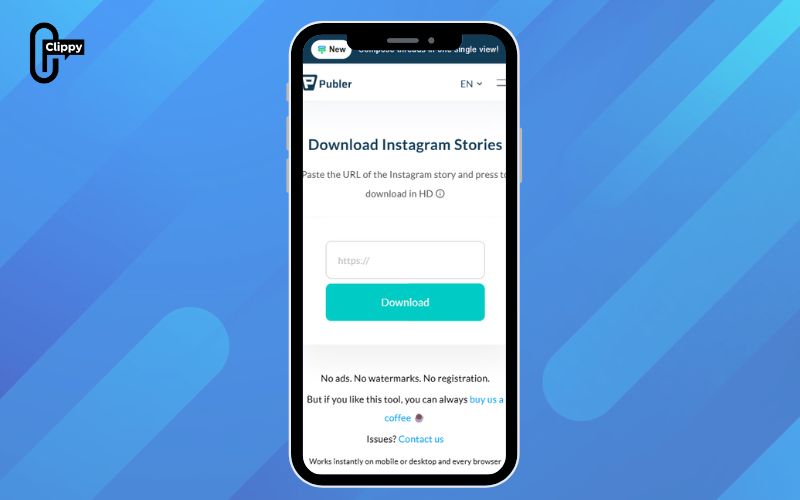
Publer
Publer functions as a full social media management tool while also offering an anonymous Facebook Story viewing feature, allowing professionals to oversee multiple accounts and browse Stories discreetly.
Features: Provides incognito Story viewing to keep activity hidden, supports integration across platforms such as Facebook and Instagram, and includes a mobile-friendly dashboard with built-in analytics.
Best For: Ideal for social media managers, content strategists, and brand analysts who need an anonymous Facebook Story Viewer to track campaigns or monitor competitors effectively.
Y2mate
Widely recognized as a video-downloading service, Y2mate also works as a Facebook Story Viewer that enables users to access and save Stories anonymously.
Features: Allows you to paste a Story link to watch and download Facebook Stories privately, with options to save content as videos or images. Delivers fast performance across multiple devices.
Best For: Well suited for editors, journalists, and researchers who need to review Facebook Stories or archive them for analysis and content research.
Hitube
Hitube is a versatile tool that combines anonymous Facebook Story viewing with powerful media downloading, supported by fast servers and a user-friendly interface.
Features: Lets users watch Facebook Stories privately and download content in batches, with support for HD video, audio extraction, and secure offline storage. No account login or activity tracking is required.
Best For: Ideal for users who regularly save visual content or monitor social media trends while using a Facebook Story Viewer safely and discreetly.

FDownloader.net
FDownloader.net is a high-end Facebook Story Viewer designed to deliver see-through access and smooth downloads across multiple formats and resolutions.
Features: Supports downloading Stories in Full HD, 2K, and 4K quality, with the ability to extract both video and MP3 audio anonymously. Fully web-based and requires no registration.
Best For: Ideal for users who want a high-resolution Facebook Anonymous Viewer to save Stories and videos while keeping their privacy intact.
FAQs about how to view Facebook stories anonymously
Watching Facebook Stories raises many privacy-related questions, especially around who can see your activity and how views are counted. Below are the most common questions, rewritten and answered from a Facebook expert’s perspective to help you understand how Story views really work.
Will someone know I viewed their Facebook Story if we’re not friends?
No. If you’re not on someone’s friends list, Facebook does not display your name in their Story viewers list. As a creator, they can only see the total number of views, not the identities of non-friends who watched the Story.
Is it possible to see who viewed my Facebook Story anonymously?
No. Facebook does not provide any feature that reveals anonymous viewers. Any website or tool claiming it can show hidden or anonymous Story viewers is misleading and does not work, according to Facebook’s privacy design.
What exactly counts as a Facebook Story view?
A view is registered only when you actively tap or click on a Story and watch it for a short period, typically around three seconds or more. Accidental swipes or partial previews may not always be counted.
How do Facebook Story views actually work?
Facebook Stories allow users to share photos, videos, or text that automatically disappear after 24 hours, unless deleted earlier. During that time, Facebook tracks views to display engagement metrics, but always within the platform’s privacy limits.
Understanding how to view Facebook stories anonymously gives you greater control over your privacy while browsing social content. This guide has shown what truly counts as a view, which methods actually work, and where the limits are. By choosing the right approach, you can avoid unwanted exposure and stay discreet. Always use these techniques responsibly and be mindful of privacy boundaries. Anonymous viewing is possible when you know how Facebook Stories really work.

Clippy – A free tool for downloading TikTok, Douyin, Instagram Reels, and Facebook videos in high quality with no watermark – fast, simple, and works on both mobile and desktop. Save your favorite social media videos in just a few clicks, with multiple formats supported and no account required.