

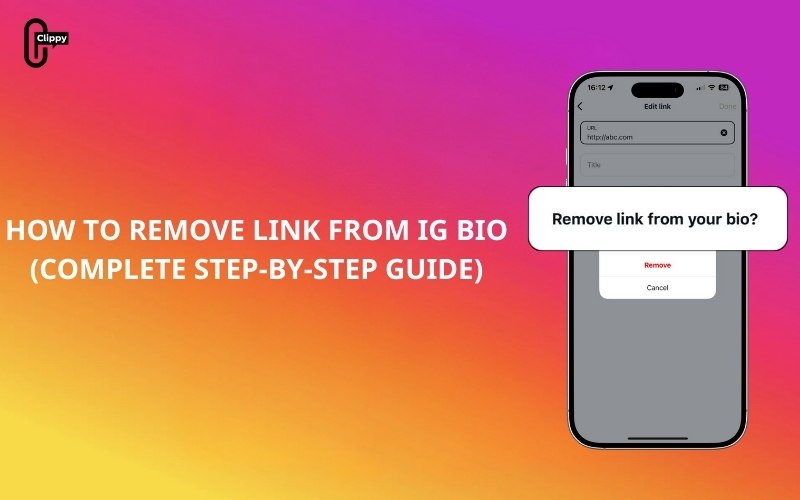
The link in your Instagram bio plays an important role in directing visitors to external websites, shops, or other platforms. However, there are many situations where you may want to remove it, such as when a link is outdated, no longer relevant, or you want a cleaner and more private profile.
This complete guide on Free Download App Video explains how to remove a link from IG bio on both mobile and desktop. You’ll also learn what happens after removal, how to fix common problems, and answers to frequently asked questions so you can manage your Instagram profile with confidence.
What Does Removing a Link From Your IG Bio Mean?
Removing a link from your IG bio means deleting the clickable URL that appears below your profile description. This link is usually placed in the Website or Links section of your profile and is visible to anyone who visits your page.
>>> See more: What Is Bio on Instagram? Full Guide for Beginners

Once removed, your profile will no longer direct visitors to an external site. This change does not affect your posts, followers, stories, or messages. It simply removes external navigation from your bio. These steps apply to all account types on Instagram, including personal, creator, and business accounts.
How to Remove Link From IG Bio on Mobile App
Removing a bio link through the Instagram mobile app is the most common method and works on both iPhone and Android devices. Follow these steps carefully to ensure the link is completely removed.
- Open the Instagram app on your phone
- Tap your profile picture in the bottom-right corner
- Select Edit Profile
- Scroll to find the Website or Links section
- Tap on the existing link
- Delete the entire URL so the field is empty
- Tap Done or the checkmark icon to save
- Return to your profile to confirm the link is no longer visible
If the link still appears briefly, wait a few seconds and refresh your profile before checking again.
>>> See more: How to Change Instagram Username: The Complete Guide

How to Remove Link From IG Bio on Desktop
If you manage your account from a computer, you can also remove your Instagram bio link using a web browser. This option is useful for users who prefer desktop editing or manage multiple accounts.
- Go to Instagram.com and log into your account
- Click your profile photo in the top-right corner
- Select Profile
- Click Edit Profile
- Locate the Website field
- Delete the link completely
- Click Submit or Save
- Refresh the page to ensure the link has been removed
Desktop changes may take a moment to sync, so refreshing the page is recommended.

Can I Remove the Threads Link From My Instagram Bio?
If you have connected a Threads account to Instagram, you may notice a Threads profile link appearing automatically on your IG profile. This link is not the same as a regular bio link.
The Threads link is part of Instagram’s built-in integration with Threads. Currently, Instagram does not allow users to manually remove only the Threads link while keeping the Threads account active.
Important things to know about Threads links:
- The Threads link is added automatically when accounts are connected
- It does not appear in the Website or Links field
- You cannot delete it using the standard bio editing steps
- Removing the Threads link usually requires disconnecting or deactivating Threads
If you do not want the Threads link on your Instagram profile, your only option may be to disconnect or deactivate your Threads account.
>>> See more: Top 1000+ Instagram Username Ideas by Niche [New Edition]

What Happens After You Remove a Link From Your IG Bio?
After removing the link, your Instagram profile will display only your bio text and any enabled contact buttons. Visitors will no longer see or be able to tap a clickable URL.

Instagram does not notify followers when you remove or change your bio link. Removing the link also stops any traffic or tracking associated with that URL. If you decide to add a new link later, you can do so instantly by editing your profile again.
How to Fix Issues When You Can’t Remove a Link From Your IG Bio
Sometimes users experience issues where a link won’t delete or reappears after saving. These problems are usually caused by app glitches or syncing delays.
- Update the Instagram app to the latest version
- Log out of your account and log back in
- Try removing the link from a different device
- Use the desktop version if the mobile app fails
- Clear app cache or reinstall the app
- Wait a few minutes in case Instagram servers delay updates
These steps resolve most bio-link removal issues.
>>> See more: How to Set Instagram Private in 2026: Step-by-Step Privacy Guide

Frequently Asked Questions About Removing a Link From IG Bio
Can I remove my IG bio link anytime?
Yes, you can remove your IG bio link at any time. Instagram does not restrict how often you edit your profile, and there are no limits on removing or adding links. Changes take effect as soon as they are saved, though visibility updates may take a few moments.
Does removing a link affect reach or engagement?
Removing a bio link does not directly affect your reach, impressions, or engagement on Instagram. However, it may reduce traffic to external websites if your audience relies on that link to visit your site. Your posts and visibility within Instagram remain unchanged.
Can followers still contact me without a bio link?
Yes, followers can still contact you even if your bio link is removed. They can send direct messages, reply to stories, or use contact buttons such as email or call if those options are enabled on your profile.
How often can I change my Instagram bio?
You can change your Instagram bio as often as you like. Instagram allows unlimited edits to your bio text and links, making it easy to update your profile whenever your goals, content, or promotions change.
Conclusion
Knowing how to remove a link from your IG bio gives you better control over how your profile appears and functions. Whether you use Instagram for personal sharing or professional purposes, keeping your bio accurate and intentional helps create a strong first impression.
The process is simple, reversible, and works on both mobile and desktop. By removing outdated or unnecessary links, you ensure your Instagram profile stays clean, relevant, and aligned with your current needs.

