


TikTok is one of the world’s leading social platforms with billions of users and endless short videos. However, downloading videos often leaves a visible watermark that affects aesthetics and editing. So how to save videos on TikTok without watermark? Explore the Video Download Free detailed guide below on saving TikTok videos without watermarks!
How to save videos on TikTok without watermark using TikTok Download
The Downloader for TikTok by TCC & Partners is a browser-based tool that lets you save videos straight to your phone or computer without registration or installation. It supports both MP3 (audio) and MP4 (video) formats. Check out the simple instructions below to start using it!
- Step 1: Navigate to the TikTok application and copy the link of the specific video you wish to download.
- Step 2: Open the web browser on your phone, go to the Clippy app, and click on the “PASTE LINK” button.
- Step 3: Select the Download button to initiate the process of downloading the TikTok video without the watermark onto your device.
>>> See Also: Suggest 5+ free tools to save TikTok video without username
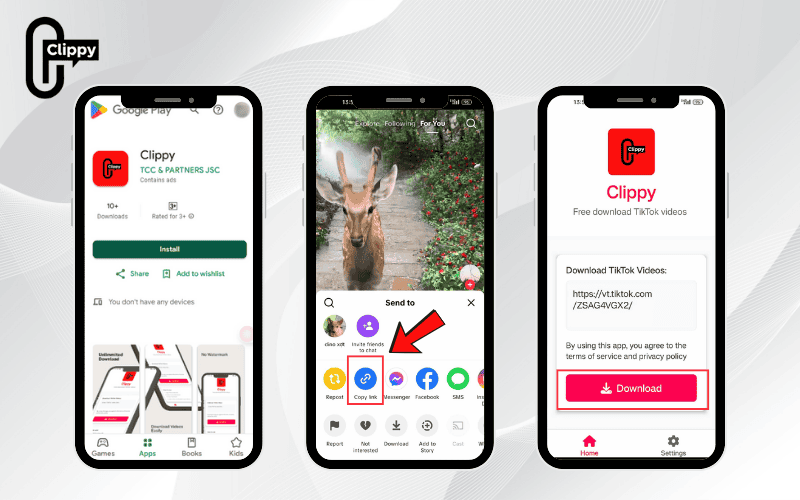
Besides the web tool, Clippy – an app by TCC & Partners Agency offers one-tap TikTok video downloads without logos, ad-free browsing, and unlimited high-speed saves. No need to visit a website – just open the app and download instantly. Get Clippy now to enjoy a faster, smoother experience!

How to save TikTok videos without watermark on iPhone by using the Shortcuts App
The Shortcuts app developed by Apple for iOS devices provides a method for users to quickly and easily save TikTok videos without a watermark directly to their camera roll. Follow these instructions:
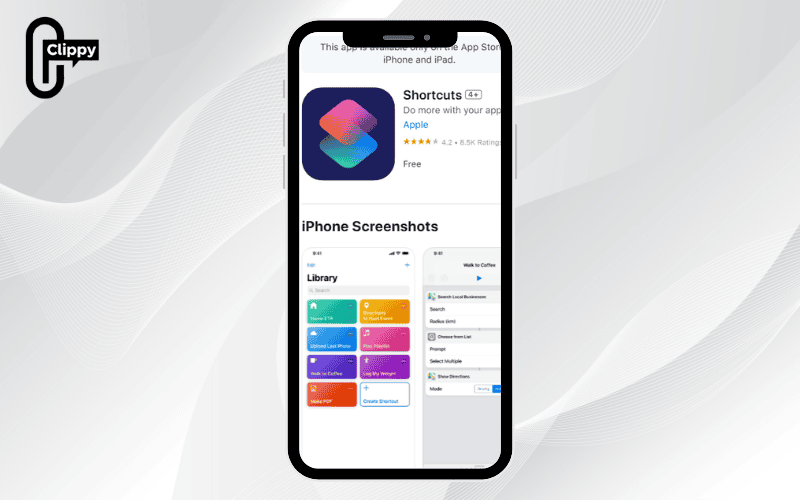
How to save videos in TikTok without watermark on iOS 12 and iOS 13
If your mobile device is operating on iOS 12 or iOS 13, please adhere to the following instructions to save videos without the watermark:
- Step 1: Open the App Store on your device and proceed to download the Shortcuts Application.
- Step 2: Access the Chrome app on your phone and go to one of the following links: https://bit.ly/3baxRzi (for iOS 12) or https://bit.ly/2J5xauU (for iOS 13). Select the “Get Shortcut” option. Your device will then automatically redirect you to the Shortcuts app; continue by selecting “Get Shortcut” once more within the app.
- Step 3: Open the TikTok application on your phone and choose the video you want to download. Next, tap the arrow icon (the Share button) on the screen. Swipe left through the share options until you see the “More” button, and then select “Shortcuts” from the list.
- Step 4: Inside the Shortcuts app, choose the shortcut named “TikTok Pro iOS 12” and then wait a few moments for the app to process and download the video. After the video has been successfully downloaded, you can locate it within the Camera Roll on your phone.
How to save TikTok videos without watermark free on iOS 14 and newer versions
For devices running iOS 14 and later versions, you can follow these steps to download TikTok videos without a watermark to your device.
- Step 1: To install the necessary shortcut for saving TikTok videos, use the following link: https://www.icloud.com/shortcuts/ef1b6619beff4771a6681b603a26e4df.
- Step 2: The screen will present detailed information about this specific shortcut; scroll down to the bottom of the screen and select “Add untrusted shortcut”.
- Step 3: Launch the TikTok app on your device and select the video you intend to download. Tap the “Share” button and then choose “More” from the share menu.
- Step 4: Click on the newly installed TikTok download shortcut. The video will then be saved directly to your Camera Roll without the platform’s watermark or logo.
How to save videos on TikTok without watermark by using the SnapTik App
The SnapTik app removes TikTok logos and watermarks for free and is trusted for its high security, making it a favorite among users. It’s available for phones, tablets, and PCs on both iOS and Android. With just a few simple steps, you can save videos without logos. Follow the instructions below to get started!
- Step 1: Open the TikTok app and find the video you want to download. Then, tap the “Share” button and select “Copy Link”.
- Step 2: Open the SnapTik application, tap on the “Paste Link” box, insert the copied link into the box, and then click “Download Video”.
- Step 3: After a short wait, SnapTik will display several download options. Choose the option that suits your needs: “Download video with logo”, “Download video without logo”, “download video cover photo”, or “download video background music”.
- Step 4: The software will then automatically download the video and store it in a dedicated folder on your device named “SnapTik”.
>>> See Also: How to download TikTok videos without watermark for free

Use x2convert website to download TikTok videos without watermark
You can conveniently and very quickly access the x2convert website from both mobile phones and tablets. The process is outlined below:
- Step 1: Open the TikTok application and select the video you wish to download. Then, select “Share” and choose “Copy Link”.
- Step 2: Access the x2convert website by using the following link: https://x2convert.com/en53/TikTok-downloader.
- Step 3: Paste the video link you saved in the previous step into the box labeled “Copy and Paste link here”.
- Step 4: Select the “Get video link” button and then choose the option “Without Watermark”.
- Step 5: Click “Download” and select your desired video quality. Finally, select “Download Video” to save the file to your phone.
How to save videos on TikTok without watermark using Downloaderi website
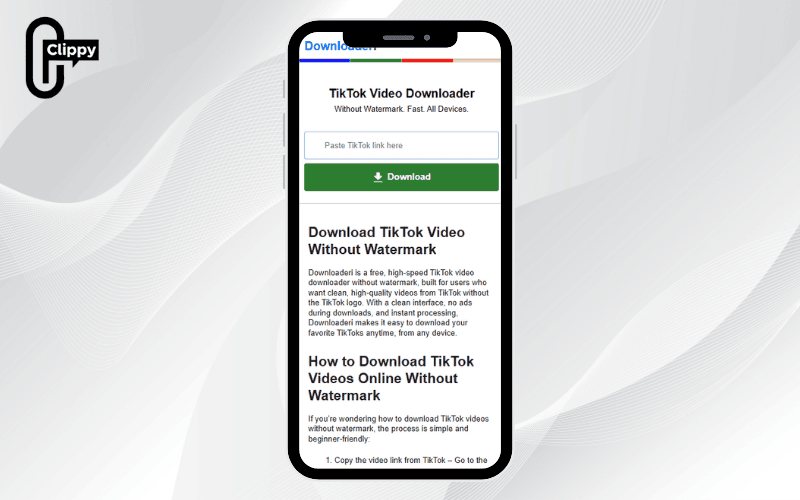
The Downloaderi website is a free tool for downloading TikTok videos without logos in high quality. It’s compatible with phones, tablets, and devices running Android, iOS, Windows, Linux, or Mac OS. This makes it a versatile choice for any user. Follow the steps below to start using Downloaderi!
- Step 1: Access TikTok on your phone and find the video you want to download. Then, select the Share icon (an arrow), and choose “Copy link”.
- Step 2: Navigate to the Downloaderi webpage and paste the link you copied in Step 1 into the box titled “Enter TikTok URL”.
- Step 3: The screen will display a message that says “Searching Video For Download”. Please wait a few seconds for the system to process the video link. Once the message “Your download is ready” appears, click the “Download” button to save the video to your phone, thus completing the process.
How to save videos on TikTok without watermark using Ytop1
Ytop1 is a tool very similar to Downloaderi. It provides users with the ability to convert TikTok videos into MP3 or MP4 formats and can be used on various devices like tablets, phones, and PCs. Adhere to the steps below to learn how to use Ytop1 for this purpose.
- Step 1: Go to the TikTok app and copy the link of the video you want to download.
- Step 2: Visit the official Ytop1 website.
- Step 3: Paste the video link you copied in Step 1 into the box labeled “Copy and Paste link here”.
- Step 4: Select the “without watermark” option and then click “Download video” to finalize the process of downloading the video without the TikTok logo.
How to save your own videos on TikTok without watermark with TikMate
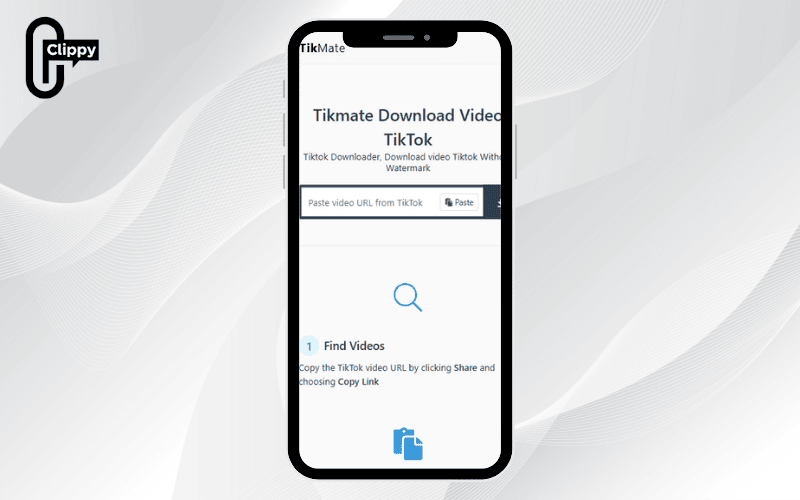
To continue our list of methods for saving TikTok videos without a logo in full HD quality, we introduce the TikMate website. For detailed instructions, please refer to the following steps:
- Step 1: Access the TikTok application, select the video you wish to save, and copy its link.
- Step 2: Go to the TikMate website and paste the link you just copied into the search box at the top of the page.
- Step 3: Click the “Download” button, and then select the option “Download Server 01” to begin saving the video.
>>> See Also: Top 15 app TikTok download to save videos without watermark
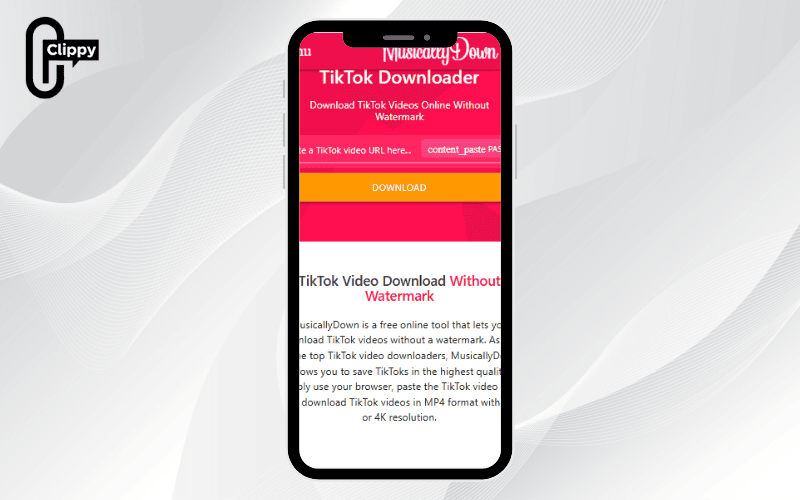
How to save videos on TikTok without watermark using MusicallyDown
This method functions identically to the other website-based download methods outlined above by Video Download Free. You can save your preferred videos by following these three simple steps:
- Step 1: Open the TikTok app, choose the video you want to download, and then copy its link.
- Step 2: Go to the MusicallyDown website, and then paste the copied link into the search box on the page.
- Step 3: Click the “Download” button located below this box to initiate the download process.
How to save TikTok videos without logo on iPhone with Expert PHP Website
Please refer to the following method for saving TikTok videos without a logo on devices running both iOS and Android operating systems with the support of the Expert PHP website. The steps are straightforward and easy to implement:
- Step 1: Access the TikTok application on the phone you are using. Select the video with the content you like and then select Share => Copy link.
- Step 2: Go to the official website link for Expert PHP, and then paste the copied link into the provided URL box on the site.
- Step 3: Select the Download button => then choose the download link and wait a moment for the download process to complete.

How to remove TikTok logo on videos when downloading using SSSTikTok website
Acquire videos with attractive content free of the TikTok logo in three simple steps with the support of the SSSTikTok website. You should proceed as follows:
- Step 1: Open TikTok, find the video, and copy the link address of the video you want to download.
- Step 2: Go to the SSSTikTok website and paste the copied link into the box that says “Just open a link” or similar.
- Step 3: Select the “Download” button to process the video. Then, choose the “no logo” option to save the video without the TikTok icon.
>>> See Also: How to download TikTok videos without watermark high quality

How to save videos on TikTok without watermark using AhaTik
Would you like to download TikTok videos without a watermark? Adhere to these straightforward steps to save them quickly and without any complications:
- Step 1: Open the clip you wish to download, click the “Share” icon, and select “Copy link”.
- Step 2: Open your web browser and go to the AhaTik download service website, paste the link into the “Type URL” box, and press the “Download” button.
- Step 3: Click on the “Without watermark” option to start the downloading process.
- Step 4: Inside your device’s Photo Gallery, the most recently saved clip will be the video you just downloaded without the logo.
Download videos from TikTok without watermark using FTIK
The following steps outline how to download TikTok videos without a watermark using the FTIK tool:
- Step 1: Go to TikTok, select your favorite video > click Share > select “Copy link”.
- Step 2: Open your web browser and navigate to the following link: https://fpttelecom.com/tools/tai-video-TikTok-ftik. Paste the copied link into the input box on this page.
- Step 3: Click the “Download Now” button and wait a few seconds for the system to process your request.
- Step 4: Once the interface changes to a new page, scroll down to select the “Without Watermark” option and then click “Download video”.
How to download TikTok without logo using SaveFrom
Interested in downloading TikTok videos without a watermark quickly using SaveFrom? Here are the extremely simple steps you can execute immediately:
- Step 1: Open your web browser, go to the SaveFrom website, and paste the TikTok video link into the input box provided.
- Step 2: You can either accept the default format (typically mp4 720p) or press the arrow button to choose a different format or quality level.
- Step 3: The video will then be automatically saved to your device. You can find it in the Downloads folder on a computer or within the Gallery app on a phone.
How to save videos on TikTok without watermark with TikVid
Have you ever discovered a compelling TikTok video and wanted to save it to your device? Here is a method to download videos rapidly and without a watermark in just a few simple steps:
- Step 1: Select the video you want to download, click the Share icon, and choose “Copy link”.
- Step 2: Paste the copied link into the search box on the TikVid.io website and click the “Download” button.
- Step 3: Tap either “Download MP4” or “Download MP3” based on your preference and wait for the video or audio file to be saved to your device.
How to save your videos on TikTok without watermark using TikGo tool
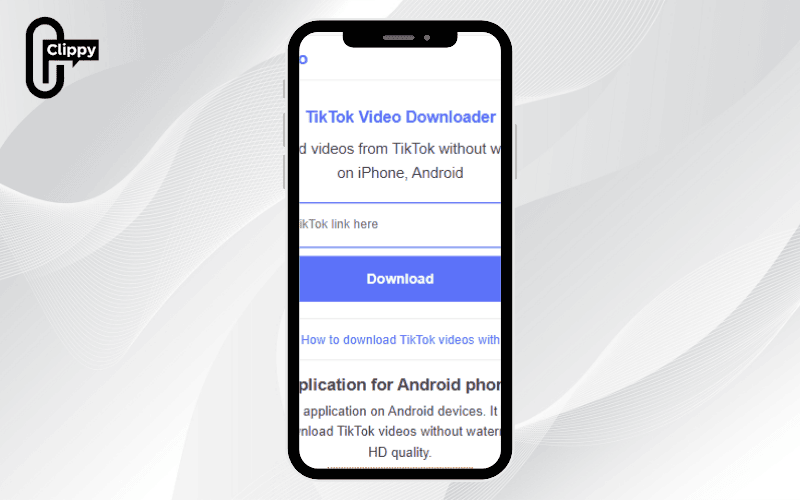
Would you like to download TikTok videos without a watermark by using the TikGo tool? Please follow the guide on how to download TikTok videos without watermark HD:
- Step 1: Open TikTok, select the video you want to download > click “Share” > select “Copy link”.
- Step 2: Open your browser and go to TikGo.me, then paste the link into the input box > click “Download”.
- Step 3: The system will present you with two choices: to download the video with or without the logo. Select your preferred option, and the video will be saved to your device in MP4 format.
Important notes when downloading videos from TikTok without a logo to your device
With their captivating visuals and dynamic audio, TikTok videos attract a vast audience. If you’re wondering how to save videos on TikTok without watermark, please take the following points into consideration to ensure the process is smooth and appropriate:
- Clean up your device and prepare free space: Even though they are short, TikTok videos can consume a significant amount of storage space. Ensure your phone has sufficient available memory to save the videos you like.
- Delete unnecessary data: You can free up space by removing unused applications, old files, or by utilizing the built-in memory management features available on Android and iOS devices to optimize storage capacity.
- Ensure a stable network connection: A strong and reliable internet connection will facilitate fast and error-free video downloads. For the best quality and speed, it is highly recommended to use a Wi-Fi connection.
- Use the videos for appropriate purposes: It is important to recognize that downloading videos without a watermark may potentially violate TikTok’s terms of service. Always respect copyright laws and refrain from using downloaded videos for any malicious or unethical purposes.
>>> See Also: How to download TikTok video high quality without watermark

The above covers all methods on how to save videos on TikTok without watermark shared by Video Download Free. Download the Clippy app now for one-tap, ad-free TikTok video downloads with no watermark and unlimited speed! Enjoy a smoother experience, save your favorite videos in seconds, and explore more powerful tools from Clippy today!

