

Can you not download TikTok anymore? In most situations, no – you can still download the TikTok app or save videos but there are several reasons you might be blocked from doing so. This article of Video Download Free explains the difference between downloading the TikTok app and downloading videos from TikTok, shows the most common causes for failures
Why you might think “Can you not download TikTok anymore”
People ask this question for two main reasons: they can’t install the TikTok app on their device, or they can’t save/download videos from TikTok. Each problem has different fixes.
App installation issues
- Region or government restrictions: Some countries restrict or ban TikTok at the government or app-store level. If your region blocks TikTok, you’ll see the app removed from your local store.
- Device compatibility: Older phones may not meet TikTok’s minimum OS or hardware requirements.
- App store problems: Temporary issues with Google Play or the Apple App Store can make apps unavailable.
- Storage and network: Simple things like low storage space, a weak Wi-Fi connection, or a misconfigured date/time can prevent downloads.
Video-download problems
- Creator settings: TikTok creators can disable downloads for their videos. If downloads are turned off, the Share → Save Video option won’t be available.
- Platform changes: TikTok sometimes changes how downloads work (UI changes, permissions), which can confuse users.
- Copyright and privacy protections: Some videos are protected or flagged such that TikTok removes the download option.
- Account type or parental controls: A restricted or under-age account may limit downloads.
If you’re not sure which of the two problems you’re facing – app installation vs. video saving – check whether your issue appears when searching the app store (app problem) or when tapping Share on a TikTok video (video problem). The rest of this article covers both paths so you can find the right fix quickly.
>>> See Also: How to download TikTok video after ban – Easy & Safe Methods
Quick fixes – install or download in minutes
Try these straightforward checks before deeper troubleshooting:
For app install problems
- Check your region: Search the app store from another region (web version of the store) or check official news to see if TikTok is restricted where you are.
- Free up space: Delete unused apps/photos or offload files. Aim for at least 500 MB – 1 GB free.
- Update OS: Make sure your phone runs a supported version of Android or iOS.
- Clear store cache/ restart: On Android, clear Google Play cache; on iPhone, restart and try again.
- Use the official website: If stores fail, visit TikTok’s official site for a link or instructions (be cautious of third-party APKs).
For video download problems
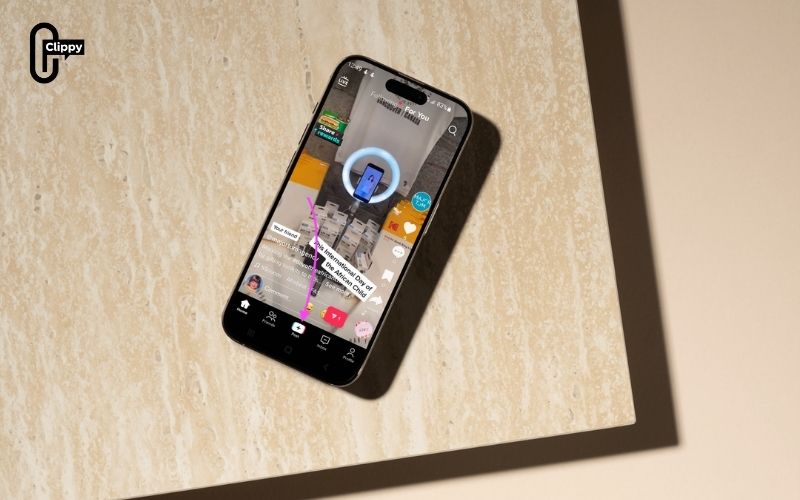
- Check the Share menu: If Save Video is missing, the creator likely disabled downloads.
- Ask permission: Message the creator and ask for the original file or permission to repost.
- Use a downloader for permitted content: If the creator allows saving or if the video is your own, a tool like Clippy can make saving easy. (Respect copyright and terms of use.)
>>> See Also: MP3 TikTok download – Best way to save TikTok audio fast
Best practices and legal note
Downloading videos you don’t own can raise copyright and privacy issues. Always:
- Download only for personal, offline viewing unless you have the creator’s permission.
- Credit the creator when reusing or resharing content.
- Avoid removing watermark if you plan to repost publicly.
- This keeps you safe legally and maintains respect for creators.
>>> See Also: Save TikTok videos without save button for free, no logo
If you’ve been wondering “Can you not download TikTok anymore”, the answer depends on whether you mean the app or the videos. App installation issues are usually fixable with store checks, updates, and storage fixes; video download limits are often set by creators or platform policies.
For saving permitted videos quickly and safely, try Clippy – it’s an easy, multi-platform tool that gets the job done. Download Clippy today and get back to saving the videos you’re allowed to keep.

