


Sometimes you just want to check notifications without announcing your presence. If you’re wondering how to hide online status on Facebook, there’s an easy way to turn off Active Status completely. Privacy starts with small settings. Learn more about Video Download Free in the news article below.
Quick Guide
To turn off your online status on the Facebook app, tap the Menu (three lines), select Settings & Privacy > Settings, scroll to Active Status, and toggle off “Show when you’re active”. This hides your status on Facebook and Messenger, but you must do it on both apps if you use them separately.
How to hide online status on Facebook
If you don’t want others to see when you’re active or recently active on Facebook, you can turn off your Active Status. Keep in mind that Facebook and Messenger are connected but separate, so you need to adjust the settings in both apps to fully appear offline.
On Mobile
On your phone, you can control your Active Status directly in the Facebook app. This setting determines whether others can see when you’re currently online or recently active.
Steps to turn Active Status on or off:
- Step 1: Open the Facebook app and tap the Menu icon in the top left corner.
- Step 2: Scroll down and select Settings & Privacy, then tap Settings.
- Step 3: Under the Audience and Visibility section, tap Active Status.
- Step 4: Find the option labeled Show when you’re active and switch the toggle off to hide your online status.
If you also use Messenger, make sure to disable Active Status there as well to stay fully hidden.

On computer
If you’re using Facebook on a desktop or laptop, you can manage your Active Status through Messenger settings.
Steps to adjust Active Status on desktop:
- Step 1: In the top right corner of Facebook, click the Messenger icon.
- Step 2: At the top of the chat window, click Options (the three dots).
- Step 3: Select Active Status: ON or Active Status: OFF.
- Step 4: Use the toggle to switch your Active Status off.
- Step 5: Click Save to confirm your changes.
Once turned off in both Facebook and Messenger, your online status will no longer be visible to others.

Why You Should Hide Online Status on Facebook
Many users search for “How to hide online status on Facebook” because they want more control over their privacy. By default, Facebook shows when you’re active or recently active, which can create pressure to reply instantly. Turning off your Active Status helps you manage your time without feeling obligated to respond immediately.
Hiding your online status is especially useful if you:
- Want to browse Facebook privately
- Prefer responding to messages on your own schedule
- Avoid unnecessary conversations
- Reduce distractions while working or studying
- Maintain boundaries in personal or professional relationships
When your Active Status is visible, others may assume you’re available to chat even if you’re just scrolling briefly. Disabling it gives you flexibility and peace of mind. It also prevents misunderstandings, such as someone thinking you’re ignoring them when you simply haven’t seen their message.
Ultimately, hiding your online status is not about avoiding people—it’s about controlling your digital presence. Facebook provides this option so users can choose how visible they want to be while using the platform.
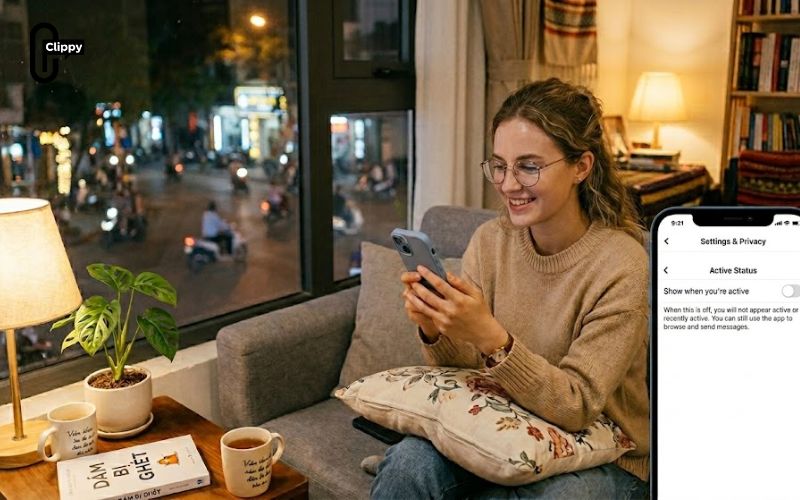
Important Things to Know Before Turning Off Active Status
Before you disable your online status, there are a few important details you should understand. Facebook’s Active Status feature works across both Facebook and Messenger, meaning your visibility settings may differ between apps if not adjusted properly.
- You Must Turn It Off in Both Apps: If you only disable Active Status in Messenger, you may still appear active in the Facebook app. To stay fully hidden, turn it off in both.
- You Won’t See Others’ Status Either: When you hide your Active Status, you typically won’t be able to see when your friends are online either.
- Recent Activity May Still Appear Temporarily: Sometimes, “recently active” indicators may take a short time to update after you switch it off.
- It Applies to All Devices: Once turned off, your Active Status setting applies across mobile and desktop (as long as you adjust both platforms).
If you’ve been wondering how to hide online status on Facebook, the solution is simpler than expected. Turn off Active Status and enjoy browsing without social expectations. Privacy isn’t about hiding – it’s about control.

