


Posting birthday photos on Facebook seems easy until you want them to look meaningful and creative. Learning how to wish someone a Happy Birthday on Facebook helps your wishes feel personal, not generic. Small details can change everything. Let’s explore how with Video Download Free in this article.
Quick Guide
To wish someone a happy birthday on Facebook, you can post on their timeline directly from the “Birthdays” section on the left menu or their profile, use a birthday story, send a private message via Messenger, or simply react and comment on their “thank you” post later; the key is to find their profile or the birthday notification and use the text box to write your personalized greeting, adding fun backgrounds or GIFs if you wish.
How to wish someone a Happy Birthday on Facebook
Wishing someone a Happy Birthday on Facebook is a simple yet meaningful way to show you care, even when you can’t celebrate in person. With the right words, timing, and format, your birthday message can feel warm, personal, and truly memorable.
On Desktop/Web
Wishing someone a happy birthday on Facebook using a desktop or web browser is quick, flexible, and perfect if you want to write a thoughtful message with a bit of style. Whether you prefer using Facebook’s built-in birthday reminders or posting directly on your friend’s profile, both options let you share warm wishes in just a few clicks.
- From the Birthdays Section: Click Birthdays in the left menu on Facebook, find your friend’s name, type your birthday message in the text box below it, then click Post to publish instantly.
- From Their Profile Page: Visit your friend’s profile and click the “Say something to [Name]” (or similar) text box on their timeline, write your birthday wish, and post it publicly.
- Add Flair to Your Message: Before posting, use the “Aa” button to add a colorful background or click the smiley face icon to include emojis that match the birthday mood and make your message stand out.

On Mobile (App)
Sending birthday wishes on Facebook using the mobile app is fast and convenient, especially when you’re on the go. With built-in birthday notifications and easy access to profiles, the app lets you share warm messages, Stories, or timeline posts in just a few taps.
- From Notifications: Tap the birthday notification for your friend, then select the pencil icon or “Write something to [Name]” to post a birthday message or add it to their Story.
- From the Birthdays Tab: Tap the ☰ menu, go to Events or Birthdays, find your friend’s name, and use the text field below it to write and post your birthday wish.
- Directly on Their Profile: Visit your friend’s profile, tap the “Write something to [Name]” box on their timeline, type your message, and share it instantly.

Other Options to Wish Friends a Happy Birthday on Facebook
Not every birthday wish has to be a public post on a timeline. Facebook offers several alternative ways to send birthday greetings that feel more personal, flexible, or low-key, depending on your relationship and the situation.
- Private Message: Click the Messenger icon next to your friend’s name to send a private birthday message, perfect for more personal or heartfelt wishes.
- Birthday Story: Add a photo or short video to their Birthday Story for a fun, temporary greeting that feels creative and doesn’t stay on the timeline.
- React & Comment Later: You can simply react to their birthday posts with a like or emoji, then leave a thoughtful comment on their thank-you post afterward to keep the interaction warm and genuine.
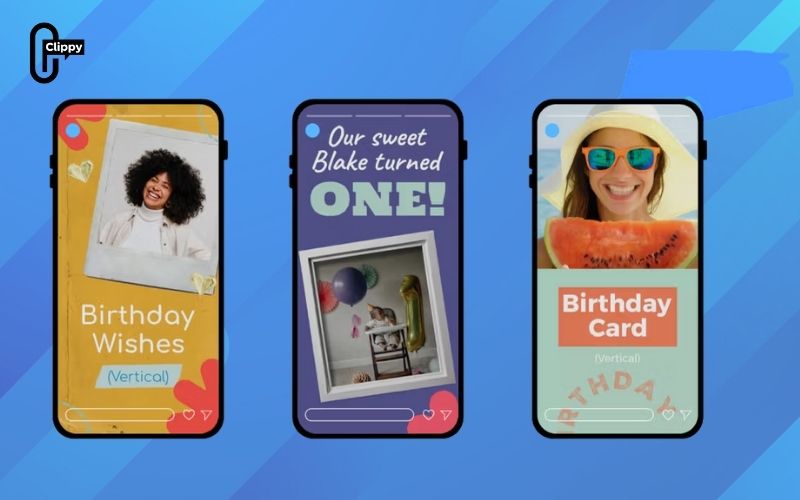
Birthday Message Ideas for Facebook (What to Write)
Not sure what to write when wishing someone a happy birthday on Facebook? Choosing the right words can make your message feel more personal, sincere, and memorable – no matter who you’re celebrating.
- Short & Sweet Birthday Wishes: Perfect for quick posts or comments, these messages are simple, warm, and straight to the point. A few kind words can still make someone smile and feel appreciated.
- Funny Birthday Messages: Light humor and inside jokes work great for close friends. These messages keep the mood fun and playful while making your birthday wish stand out in the comments.
- Heartfelt Messages for Close Friends: Use emotional and meaningful words to show appreciation, gratitude, or shared memories. These messages are ideal when you want your friend to truly feel valued on their special day.
- Professional Birthday Wishes (Colleagues or Clients): Keep the tone polite, respectful, and positive. Professional messages should be friendly without being too personal, making them suitable for workplace relationships.
- Family-Focused Birthday Messages: These messages highlight love, support, and family bonds. Whether it’s for parents, siblings, or relatives, a warm and caring tone makes the birthday greeting feel special and genuine.
Best Time to Post Birthday Wishes on Facebook
Timing plays a bigger role than many people realize when wishing someone a happy birthday on Facebook. Posting at the right moment helps your message get noticed, feel thoughtful, and avoid being buried under dozens of other birthday wishes.
- Morning vs Evening Posts: Posting in the morning (7 – 10 AM) is ideal if you want to be among the first to wish them happy birthday, while evening posts (7 – 9 PM) work well for longer, more emotional messages when people are more active online.
- Consider Time Zones: If your friend lives in a different country or region, always account for their local time. Posting based on their timezone shows attention and prevents your message from appearing too early or too late.
- Stories vs Timeline Posts: Timeline posts are better for heartfelt wishes you want to stay visible all day, while Stories are great for quick, fun greetings that appear at the top of the app and grab attention instantly.
- Avoid Getting Buried in the Feed: To prevent your post from getting lost, avoid peak clutter times like midday. Posting early or slightly later than most users helps your message stand out and feel more intentional.

With so many ways to post, choosing the right birthday wish matters more than ever. Understanding how to wish someone a Happy Birthday on Facebook helps your message feel intentional, not automatic. A little thought goes a long way.

Clippy – A free tool for downloading TikTok, Douyin, Instagram Reels, and Facebook videos in high quality with no watermark – fast, simple, and works on both mobile and desktop. Save your favorite social media videos in just a few clicks, with multiple formats supported and no account required.