

How to see Facebook live comments is one of the most searched questions during live streams today. Live comments are essential for real-time interaction, but they don’t always show up as expected. Many users think it’s a bug, when it’s often just a hidden setting. Let’s find out more in detail in the article below, courtesy of Video Download Free.
Quick Guide
To see Facebook Live comments, watch the video and tap the comment box or icon; you can often switch between “Comments” and “Live chat replay” (after the stream ends) by swiping or tapping, and on desktop, look for a dropdown to sort by relevance or newest, while apps like Switcher Studio offer dedicated tabs for viewing comments directly.
Why can’t I see comment during my Facebook live video
It’s completely normal to feel frustrated when you can’t see comments during a Facebook Live video. But have you ever wondered why comments don’t appear while you’re live on Facebook? Below are the most common reasons that can cause this issue.
- Network connection issues: A weak or unstable internet connection can prevent live comments from loading properly during the stream.
- Temporary Facebook server glitches: When Facebook experiences server issues, some features may stop working temporarily, including live comments. In this case, reporting the problem and waiting is usually the only solution.
- Corrupted cache or stored data: An overloaded app or browser cache can cause Facebook to behave abnormally, affecting how comments load.
- Private or restricted comments: If viewers set their comments to private or the Page’s privacy settings are changed, those comments may not be visible to everyone.
>>> See Also: How to know if someone is live on Facebook without following
How to see Facebook live comments
Seeing comments in real time is essential for interacting with your audience during a Facebook Live session. This section explains how to view Facebook Live comments properly and fix common issues that prevent them from showing up.
On Mobile (Facebook App)
Watching Facebook Live on mobile lets you follow comments in real time, but they can be hidden by default depending on your view settings. Here’s how to show and manage Live comments on the Facebook app during and after a stream.
- During a Live Stream: Tap the comment box at the bottom; it often looks like a speech bubble or says “Write a comment”.
- After a Live Stream (on the recording): If the stream is over, you might need to swipe the comment box left to see “Live chat replay”.
- To Show/Hide: Tap the comment icon (speech bubble) or the comment box to bring comments back if they’re hidden.
On Desktop
When watching a Facebook Live video on desktop, comments are displayed differently compared to mobile. This section shows you where to find Live comments on Facebook and how to sort or replay them after the stream ends.
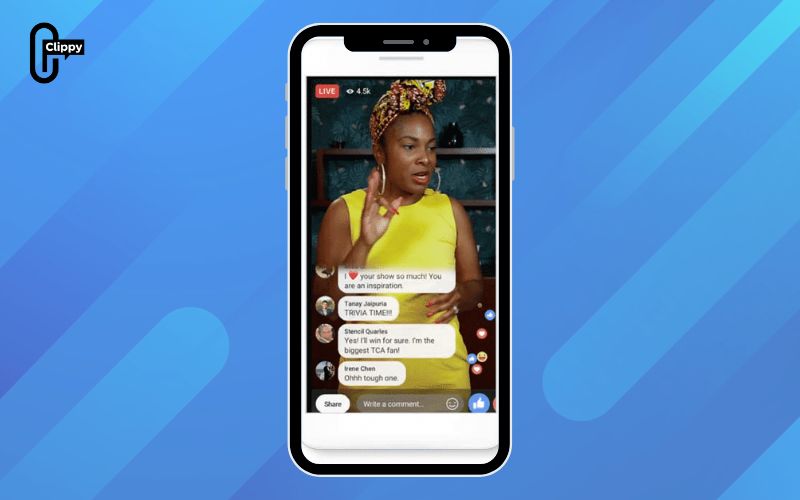
- During a Live Stream: Comments appear on the right side of the video player.
- Sorting: Look for a dropdown menu (often says “Most relevant”) above the comments to sort by “Newest” or “Most Relevant”.
- After the Stream: The right panel will show “Live chat replay”, allowing you to see past comments.
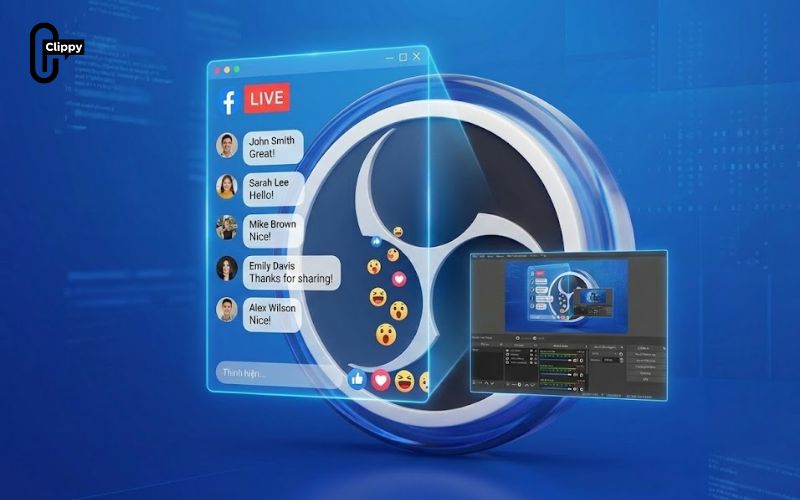
For Streamers (Using OBS/Other Tools)
If you’re streaming through OBS or other third-party software, Facebook Live comments won’t appear directly on Facebook by default. This section explains how streamers can view and manage live comments using external tools that integrate with Facebook.
- Third-Party Apps: Tools like Switcher Studio have dedicated “Live Comments” tabs to view audience messages in real-time.
- Browser Extensions: Extensions like Social Stream Ninja can display chat within OBS as overlays.
How to fix Facebook Live comments not showing
Now that you understand what Facebook Live is and the common reasons why comments may not appear during a live video, here are several practical solutions you can try to fix the issue.
Solution 1: Check Your Internet Connection
An unstable network is one of the most common causes of Facebook Live comments not loading. First, make sure your device is properly connected to Wi-Fi. If Wi-Fi is working, test the connection by opening other websites or apps. Some users report that comments load on mobile data but not on Wi-Fi, so switching between Wi-Fi and mobile internet may help resolve the problem.
Solution 2: Refresh the Facebook App
Sometimes the Facebook app simply freezes or fails to update in real time. Refreshing the app can prompt it to reload the live comments. If refreshing doesn’t work immediately, close the app and reopen it before trying other solutions.
Solution 3: Clear the Facebook App Cache
Accumulated cache data can interfere with how Facebook loads content, including live comments. To fix this, open the Facebook app, go to Settings, select Account Settings, then choose Browser and tap Clear Data. Clearing cached files often restores normal comment visibility.
Solution 4: Reinstall the Latest Version of Facebook
If clearing the cache doesn’t solve the issue, uninstalling and reinstalling the app is a good next step. Delete the Facebook app from your device, then download and install the latest version from the App Store or Google Play Store to ensure you’re using an updated and stable release.
Solution 5: Log Out and Log Back In
Logging out of your Facebook account and signing back in can refresh your session and fix temporary glitches. Open the app, tap the Menu (More) icon, choose Log Out, wait a few minutes, then log in again and check the live comments.
Solution 6: Force Quit and Restart the App
Force-stopping the Facebook app can help clear background errors. Go to your phone’s Settings, open Applications, select Facebook, and tap Force Stop. After that, restart your phone and open Facebook again to see if live comments appear normally.
FAQs about live comments on Facebook
Live comments are a core part of the Facebook Live experience, but they don’t always behave as users expect. The FAQs below answer the most common questions about viewing, managing, and troubleshooting live comments on Facebook.
How do I enable live comments on Facebook?
While watching a Facebook Live video, swipe right on the screen to hide comments, likes, and reactions for distraction-free viewing. To enable live comments again, simply swipe left and all interactions will reappear instantly.
Why can’t I see live comments on Facebook during a stream?
Live comments may not appear due to a weak internet connection, app glitches, or comment filters being enabled. In some cases, comments are hidden by default and need to be toggled back on manually.
Temporary Facebook server issues can also prevent comments from loading properly on Facebook.
Can viewers see my comments during a Facebook Live?
Yes, comments you post during a Facebook Live are visible to others based on the video’s privacy settings. If the Live video is public, anyone watching can see your comments. For private or friends-only Lives, comment visibility is limited accordingly.
How do I replay live comments after a Facebook Live ends?
After the Live stream ends, Facebook automatically saves comments as part of the video replay. You can view them by watching the recorded Live and enabling Live chat replay. This allows you to see comments in the order they were posted during the stream.
Now that you know how to see Facebook live comments, watching live streams becomes fully interactive again. Most missing comments are caused by hidden views or simple settings. Once restored, real-time reactions appear instantly. Sometimes, one small tap changes the entire live experience.

