

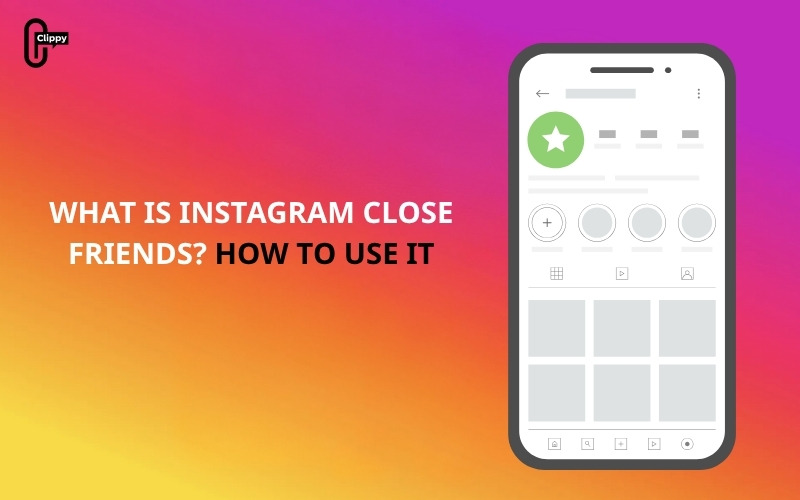
As Instagram continues to evolve from a photo-sharing app into a multifaceted social platform, the need for privacy, selective sharing, and audience segmentation has become more important than ever. Today, users range from friends and family to colleagues, clients, acquaintances, and even strangers. With such a diverse mix of audiences, posting publicly often feels limiting or worse, risky.
This growing complexity is exactly why Instagram introduced Close Friends, a feature designed to restore authenticity and relevancy in the way we communicate online. Instead of sharing one universal version of yourself with everyone, Close Friends allows you to curate a more intimate digital space. And what is close friends Instagram? Let with Video download for free find out!
What is close friends’ Instagram?
At its core, Instagram Close Friends is a selective sharing tool that lets you create a private, curated list of followers who have access to exclusive Stories and feed posts. Initially launched in 2018 as a simple way to share Stories privately, the feature has expanded in recent years to support exclusive feed posts as well, a major enhancement that gives users more control over their content distribution.
Here’s what sets Close Friends apart:
- You choose exactly who is on the list.
- Only people on the list can view Close Friends Stories or posts.
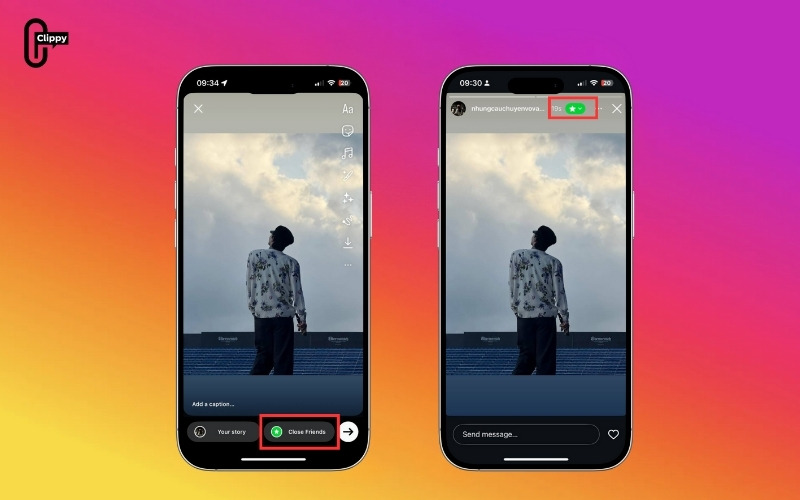
- Your Close Friends content is marked with a green ring (Stories) or a green border (feed posts).
- Your list is completely private; no one can see who’s on it.
- People are not notified when they are added or removed.

Close Friends tackles one of the biggest social media challenges of the past decade: context collapse. This is the problem that occurs when your content must cater to multiple, very different groups at once: friends, family, coworkers, customers. People post less, share less authentically, and rely on overly polished or generic content.
Close Friends solves this by reintroducing audience segmentation, allowing you to share specific content with specific groups.
>>> See more: Can People See Who You Follow on Instagram?
Benefits of Using Close Friends
Knowing what is close friends’ Instagram also means understanding how it can improve your overall experience. Using Close Friends strategically can significantly improve your Instagram experience. This feature allows you to share content privately, authentically, and meaningfully with a trusted audience. Whether you are an individual, creator, or brand, Close Friends provides a powerful way to communicate selectively and build stronger connections.
More Privacy and Control
With Close Friends, you have full control over who sees your content. This means you can share personal moments or sensitive updates without worrying about unwanted attention or misunderstandings. It’s perfect for keeping some parts of your life or work private while still engaging with followers.
Share More Authentically
Because your audience is smaller and more trusted, you can post freely casual, personal, or unfiltered updates that are easier to share. You don’t need to worry about maintaining a polished public image; your Close Friends can enjoy content that feels genuine.
Build Deeper Connections
Creators, influencers, and brands can use Close Friends to offer exclusive perks or behind-the-scenes content. Sharing content with a select audience fosters intimacy and trust, helping you build stronger relationships with your most loyal followers.
Prevent “Context Collapse”
Not all content is suitable for everyone. Close Friends allows you to target your posts to the right audience, preventing misunderstandings or awkward situations that can occur when personal or niche content reaches the wrong people.
Perfect for Sensitive or Selective Updates
Close Friends is ideal for special announcements, daily life snippets, promotions, inside jokes, or niche content. It ensures your message reaches only those who should see it, making it a versatile tool for personal or professional use.
How Instagram Close Friends Works
To fully understand what is close friends Instagram, you need to know how the feature functions. Instagram offers tools for users to share content selectively, and Close Friends is one of the most effective for private sharing. Understanding how Close Friends works on Instagram can help you maintain privacy, engage with a trusted audience, and share content more authentically.
Below is a comprehensive breakdown of how the feature works behind the scenes:
- Green Story Ring: Your Close Friends will see a green ring around your profile photo in their Stories bar.
- Exclusive Feed Posts: Feed posts shared with Close Friends display a green badge or border on your grid or in their feed.
- Private Interactions: Only selected users can view, reply to, or react to your content.
- Complete Privacy: No one else, including your other followers, will know that you posted anything.
- No Notifications: Instagram does not notify users when you add or remove them from your list.
This makes Close Friends ideal for private sharing, personal updates, or selective communication without awkward explanations.
>>> See more: How to Collab Post on Instagram: The Complete Guide
How to make a Close Friends List on Instagram
Now that you know what is close friends Instagram, here’s how to create and manage your list. Creating your Close Friends list is simple, whether you’re using Instagram on mobile or desktop. This setup allows you to control exactly who sees your private content.
On Mobile
Adding followers to your Close Friends list on your phone is quick and straightforward. This method is ideal if you want to manage your list while on the go.
Step 1: Open the Instagram app and go to your profile.
Tap your profile icon in the bottom-right corner to access your personal page.
Step 2: Tap the menu icon (three horizontal lines) in the top corner.
This opens Instagram’s main navigation menu, where you can find settings and specialized tools.

Step 3: Select Close Friends from the menu.
The Close Friends section allows you to create and manage a private list of followers who will see exclusive content.

Step 4: Search for followers or scroll through your list to add people.
Use the search bar to find specific followers, or scroll through your follower list to browse and select users you want to include. You can add as many or as few people as you like.

Step 5: Tap Done to save your list.
Pro Tip: You can update this list anytime. Add new friends or remove people based on your preferences, and Instagram won’t notify anyone about changes.

On Desktop
Managing your Close Friends list from a computer is just as simple and gives you a larger interface for easier selection.
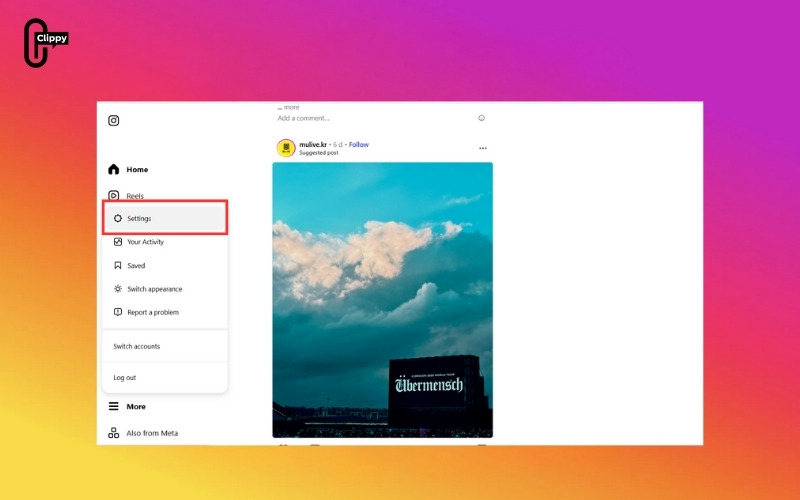
Step 1: Go to Instagram.com and go to Settings.
The Settings menu gives you control over your account, privacy, and specialized features like Close Friends.
Step 2: Choose Close Friends from the sidebar.
This will open a page where you can view, add, or remove followers from your private list.

Step 3: Use the search tool to add followers to your list.
Type the names of followers you want to include, or browse through suggestions. You can select multiple people at once and manage your list efficiently from a larger screen.

Important: Your Close Friends list is completely private. Only you can see it, and Instagram does not notify users when you add or remove them.
What can you share with Close Friends?
Once your list is ready, you can start sharing exclusive content with your selected followers. Close Friends gives you the same posting options as regular Stories and feed posts but with complete control over who sees them.
Instagram Stories
You can post a variety of Stories for your Close Friends:
- Photos or videos
- Stickers, GIFs, countdowns, and polls
- Notes, doodles, text, and tags
Stories shared with Close Friends are marked with a green ring around your avatar, clearly signaling that the content is exclusive.
>>> See more: How to Know Who Views Your Instagram Profile (Full Guide)
Instagram Feed Posts
Instagram now allows you to share feed posts with Close Friends as well:
- Posts appear with a green border
- Only visible to your Close Friends
- Hidden from your public audience
This makes Close Friends a powerful and versatile tool, letting you post selectively across both Stories and feed posts.
Conclusion
If you’ve ever wondered what is close friends Instagram, now you know it’s a powerful privacy feature that helps you share authentically with a trusted audience. Whether you’re an individual protecting personal moments, a creator building deeper relationships, or a brand offering exclusive perks, Close Friends makes selective sharing easier and safer.
By understanding what a close friend on Instagram is, you can take control of your content, maintain privacy, and strengthen your digital relationships. Start curating your list today to enjoy a more meaningful and secure Instagram experience.
>>> See more: How to Turn Off Read Receipts on Instagram

