


Instagram isn’t just about sharing photos and videos anymore; it’s also a powerful platform for private communication, networking, and customer engagement. One of the key tools driving this evolution is Instagram Direct. But what’s Instagram Direct, exactly? It’s the private messaging feature that lets users send text, media, and reactions directly to individuals or groups. In this comprehensive guide, Free app download video will explore how Instagram Direct works, its features, business advantages, privacy settings, and strategies to use it effectively.
What’s Instagram Direct?
Instagram Direct is Instagram’s private messaging system that enables users to communicate directly through text, images, videos, and more. Unlike comments or posts that appear publicly, messages sent via Direct are only visible to the people involved in the conversation.
Introduced in December 2013, Instagram Direct was initially a simple feature for sharing private photos. Over the years, it has evolved into a multifunctional communication tool, allowing voice notes, video calls, group chats, disappearing messages, and even cross-platform conversations with Facebook Messenger.
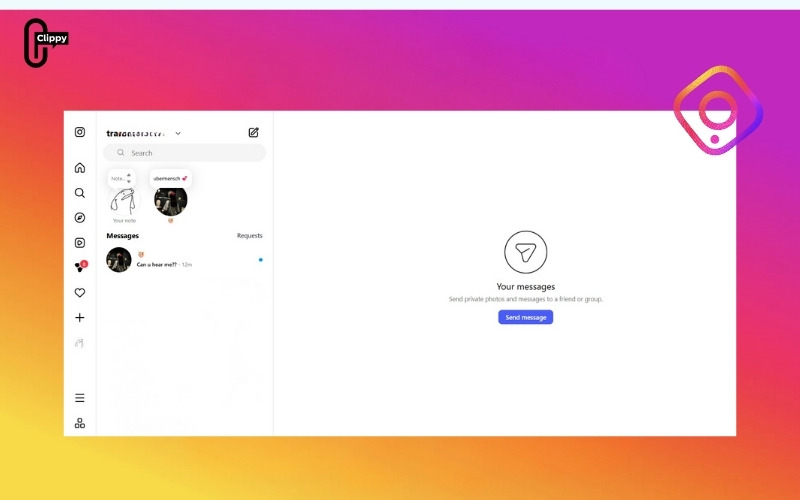
As of 2025, more than 500 million Instagram users send DMs every day, making Instagram Direct one of the most active private messaging systems across social media.
How Instagram Direct Works
Instagram Direct is integrated into every Instagram account. You can access it from both mobile and desktop:
Using Instagram Direct on Mobile
- Open the Instagram app.
- Tap the Direct Message icon in the top-right corner of your home screen.
- Select an existing chat or tap “New Message” to start a new one.
- Type your message or add photos, videos, or stickers.
- Tap Send your message is instantly delivered.
See more: What is a carousel on Instagram? A Complete Guide

Using Instagram Direct on Desktop
- Go to instagram.com.
- Click the message icon on the top navigation bar.
- View and reply to messages directly from your browser. ideal for businesses managing multiple inquiries.
If you message someone who doesn’t follow you, your message will appear as a message request. They must approve it before the chat begins, a useful layer of privacy.
Key Features of Instagram Direct
After understanding what’s Instagram Direct, it’s time to explore why it’s one of the most versatile private messaging tools today. Instagram Direct isn’t just a place to chat; it’s a space for sharing, creating, and connecting on a deeper level. Below are its most useful features that make communication seamless and engaging.
Diverse Messaging Options
With Instagram Direct, you can send text messages, emojis, and links just like any other chat app. But it goes further, you can also share photos, videos, Reels, or Stories privately without posting them publicly. This gives you the freedom to connect personally with followers, customers, or friends in a more authentic way.
Whether it’s sending a quick message, reacting with an emoji, or forwarding your latest Reel, Direct makes interactions fast and personal. It’s ideal for both casual users and brands that want to build real relationships through one-on-one engagement.
See more: What is Instagram Note? A Step-by-Step Guide for Beginners
Voice and Video Messages
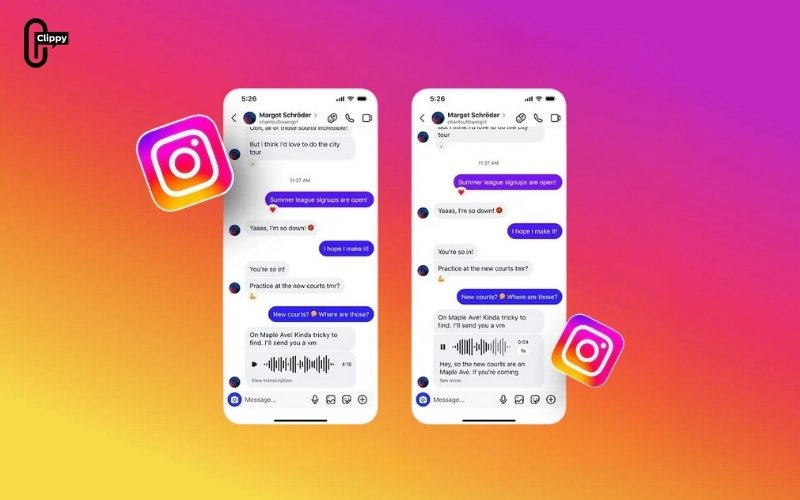
Sometimes, typing isn’t enough. Instagram Direct lets you send voice notes and short video messages for a more emotional and human touch. These features are particularly popular among influencers, content creators, and customer support teams, allowing them to respond quickly while staying personal and relatable.
Group Chats for Collaboration and Community
Group chats in Instagram Direct are designed for more than just friends. You can create private groups, customize their names, and even set chat themes to match your vibe. Businesses and creators often use this feature for community discussions, campaign planning, or private client updates.
Group conversations support message reactions, threaded replies, and notification controls, keeping long discussions organized and easy to follow.
Privacy and Temporary Conversations
Privacy is one of the key reasons users love Instagram Direct. With Vanish Mode, you can send disappearing messages, perfect for temporary or casual chats. Once the recipient views them, the messages disappear automatically.
This feature is especially useful when sharing sensitive or time-limited content, ensuring every conversation stays private and secure.
Cross-App Messaging and Personalization
Meta has now integrated Instagram Direct with Facebook Messenger, allowing users to message friends across both platforms without switching apps. This makes connecting smoother and more efficient, especially for users who manage multiple social profiles.
Plus, you can customize your chat themes, change colors, and even pin important messages to the top, creating a more personalized messaging experience, much like on WhatsApp or Telegram.
How Instagram Direct empowers Businesses and Creators
Instagram Direct isn’t just for chatting; it’s a marketing and customer service powerhouse. Businesses use it to build trust, convert leads, and deliver real-time support. Here’s how:
Customer Support and Relationship Management
DMs provide a private space for customer inquiries, feedback, or complaints. Businesses can respond personally, resolve issues quickly, and build stronger relationships.
Lead Generation and Sales
Brands often use Instagram Direct to nurture leads. For example:
- After someone comments on a product post, the brand can follow up with a personalized DM.
- Businesses can share special offers, discount codes, or product recommendations directly.
This one-on-one approach often leads to higher conversion rates than public interactions.
See more: What Is Bio on Instagram? Full Guide for Beginners
Influencer Collaboration
Instagram Direct is a professional communication channel for influencers and brands to negotiate partnerships, share campaign details, and track deliverables.
Automated Messaging
With the Instagram Direct API, brands can set up automated messages for FAQs, order confirmations, or booking requests. Automation ensures customers get immediate responses while keeping communication consistent.
Engagement Campaigns
Businesses use Instagram Direct to run contests, send reminders, or deliver exclusive content to their followers, creating a sense of community and loyalty.
Privacy and Safety on Instagram Direct
Privacy has become a top concern for users and businesses alike. Instagram offers several security tools to protect Direct users:
- Message Requests: Unknown users’ messages go into a separate folder, giving you control over who can contact you.
- Report & Block: You can easily block or report users sending spam or inappropriate messages.
- Restrict Feature: Restricting a user hides their messages without notifying them useful for reducing harassment.
- Vanish Mode: Messages automatically disappear after being seen.
- Two-Factor Authentication: Helps prevent unauthorized access to your account and messages.
Instagram also uses machine learning to detect and filter offensive or spam messages automatically, ensuring a safer user experience.
See more: What Is Boomerang on Instagram? Full Guide to the Looping Video Effect
Tips for Using Instagram Direct More Effectively
Whether you’re a personal user or a business, using Instagram Direct strategically can make your communication more efficient and impactful.
For Personal Users
- Organize conversations using message filters.
- Mute group notifications if they’re too active.
- Archive or delete chats you no longer need.
- Use quick reactions to stay interactive without typing long replies.
For Businesses
- Use Saved Replies: Create templates for common questions like “What are your store hours?” or “How can I place an order?”
- Personalize Every Message: Address customers by name and reference their inquiry for a personal feel.
- Track Conversations: Use Instagram’s professional dashboard to manage and measure DM performance.
- Integrate Tools: Connect Instagram Direct with CRM systems or social media management tools for better workflow.
- Be Human: Avoid sounding robotic. Customers value authenticity and empathy in private messages.
Conclusion
So, what’s Instagram Direct? It’s the private messaging engine that powers Instagram’s personal and professional connections. From chatting with friends to closing business deals, Instagram Direct enables direct, meaningful, and efficient communication.
In 2025, Direct has evolved into more than a chat box; it’s a business tool, marketing platform, and community space. Understanding how to use it effectively can help you strengthen your online presence, engage followers, and build trust one message at a time.

