

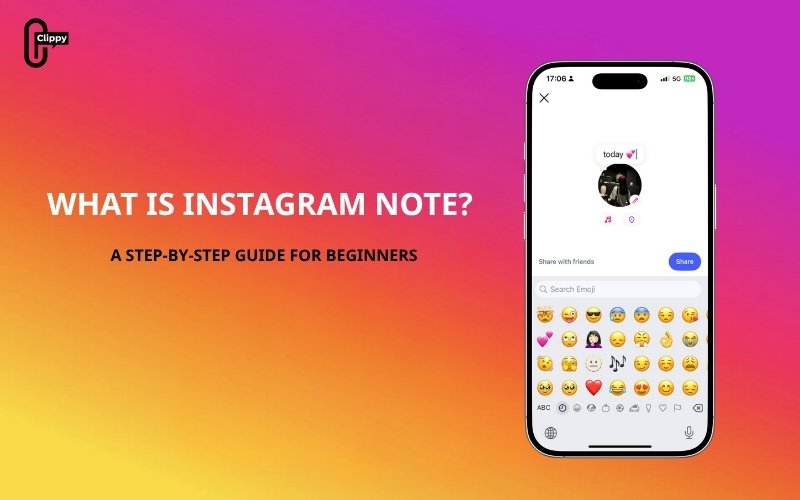
Instagram has always evolved to match how people communicate, from visual storytelling to short-form videos, and now to quick, conversational updates. The latest feature, Instagram Notes, has generated curiosity among users, creators, and brands alike. But exactly what is Instagram Note? How does it work, and how can you use it effectively? This comprehensive guide in the Free app download video explains everything you need to know.
Key Takeaways
- An Instagram Note is a 60‑character, text‑only status that appears at the top of the inbox for mutual followers or Close Friends and disappears after 24 hours; replies open a private DM.
- You can share thoughts, feelings, quick announcements, or updates without cluttering your main feed.
- Interaction is primarily through replies or likes in the DM section, making it a more casual and private way to communicate.
- Many users, especially teenagers, use Notes to express their daily moods or share brief updates, similar to the statuses on AIM or MSN Messenger from the early 2000s.
What is Instagram Note, and how does it work?
An Instagram Note is a short text-based or media message that appears at the top of your inbox. Each Note can include up to 60 characters of text, emojis, a music snippet, or a short looping video. Notes stay visible for 24 hours, after which they disappear automatically, just like Instagram Stories.
When you share a Note, it’s visible only to the audience you choose: either your followers who follow you back or your Close Friends list. Replies to Notes arrive privately in your DMs, encouraging natural one-on-one conversations instead of public interactions.

Instagram started testing Notes in 2022 and rolled them out globally by the end of that year. The feature has quickly gained traction among younger users who prefer casual, message-based engagement over public posting.
What can you share in an Instagram Note?
Instagram Notes are simple but flexible. Depending on your region, you can post:
- Text or emojis: Up to 60 characters for short thoughts or reactions.
- Music clips: A 30-second song preview from Instagram’s music library.
- Looping videos: A short, two-second video loop to express your mood.
Who can see your Notes?
You control who can view your Notes:
- Followers you follow back: Ideal for mutual connections.
- Close Friends: Ideal for more private updates.
This balance between visibility and privacy is what makes Notes appealing; they feel personal but still reach a small group of people at once.
How Instagram Notes Compare to Stories, Posts, and DMs
While Instagram Notes seem similar to Stories or messages, they serve a distinct purpose. Notes sit quietly above your inbox, not in your feed, and focus on brief, meaningful updates rather than content sharing.
| Feature | Notes | Stories | Posts | DMs |
| Lifespan | 24 hours | 24 hours | Permanent | Private |
| Visibility | Followers you follow back or Close Friends | Public or restricted | Public or followers | One-to-one or group |
| Format | Text, emoji, music, video | Photo, video | Image, carousel, video | Text, photo, video |
| Interaction | Replies via DM | Reactions and replies | Likes and comments | Private chat |
| Purpose | Quick update or thought | Visual storytelling | Long-term content | Direct conversation |
In essence, Instagram Notes bridge the gap between public content and private messaging, allowing users to share quick updates that feel genuine and spontaneous.
How to Create an Instagram Note
Creating a Note takes only a few seconds. Here’s how you can post your first one:
Step 1: Open the Instagram app and tap the Messenger (Direct Messages) icon in the top-right corner.
Step 2: Tap “+ Leave a Note” or your profile picture at the top of your inbox.
Step 3: Type your message: text, emojis, or tags (up to 60 characters).
Step 4: Choose who can see it, either Followers you follow back or Close Friends.
Step 5: Tap Share to publish.

Your Note will now appear at the top of your chosen audience’s inbox and stay there for 24 hours. If you post a new one, it will automatically replace your current note.
Some versions of Instagram also allow you to include music or short videos, making Notes even more expressive.
See more: Can People See Who You Follow on Instagram?
How to Delete or Update an Instagram Note
If you want to change or remove a Note before it expires, the process is simple.
To delete a Note:
- Go to your Instagram inbox.
- Tap on your active Note.
- Choose Delete Note.
The Note will disappear immediately and can’t be recovered.
To update or replace a Note:
- Tap on your current Note.
- Select Leave a new note.
- Write your new message and tap Share.
Instagram doesn’t offer an “edit” or “save draft” option for Notes. Once deleted, your message is gone permanently.
See more: How to Repost From Instagram: Posts, Reels, and Stories

Why do you use Instagram Notes?
Though minimal in design, Instagram Notes serve several valuable purposes both for individuals and businesses.
Casual Communication
Notes make it easy to share your thoughts without the formality of a post or the effort of a Story. It’s perfect for a quick “hello,” an update, or a mood message.
Visibility and Engagement
Because Notes appear at the top of the inbox, they’re highly visible. This positioning helps your message stand out and encourages more replies than a typical Story or feed post.
Authentic Interaction
Replies to Notes go straight into private messages, creating more genuine conversations with people you already know.
Marketing Opportunities
For creators and brands, Notes can be a discreet but effective engagement tool. You can use them to:
- Share event reminders or product launches.
- Announce flash sales or limited-time offers.
- Spark curiosity or ask simple questions to increase interaction.
While they may not replace Stories or Reels, Notes complement them by offering a quieter, more personal way to communicate with followers.
Frequently Asked Questions related to Instagram Notes
What are Instagram Notes used for?
They’re used to share short updates, questions, or ideas with your followers or Close Friends, encouraging direct engagement in your inbox.
How long do Instagram Notes last?
Each Note stays visible for 24 hours and then disappears automatically.
Can I see who viewed my Notes?
No. Instagram doesn’t show who viewed your Note, but you can see who liked or replied to it through your DMs.
Are Instagram Notes private?
Yes. Only the people you select “Followers you follow back” or “Close Friends” can see your Note.
How many characters can I use?
Notes are limited to 60 characters, including spaces and emojis.
How can I mute or delete Notes from others?
To mute someone’s Notes, press and hold their profile photo in the Notes section, then select Mute Notes. To delete your own, tap your Note and choose Delete Note.
Conclusion
Instagram Notes are a simple yet powerful addition to the platform’s ecosystem. They encourage authentic communication, foster personal connections, and open new opportunities for marketers looking to engage audiences in subtle, meaningful ways.
Whether you use Instagram for personal sharing or professional growth, Notes provide a low-effort, high-visibility way to stay connected. Try posting one today, you might be surprised by how many real conversations it starts.

