

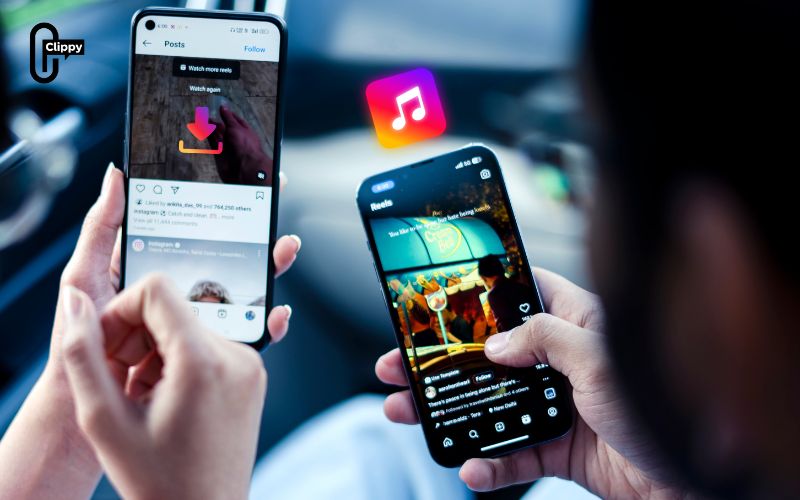
If you have ever found a catchy tune or trending sound on Instagram and wanted to save it, you are not alone because many people search for how to download audio from Instagram. The platform does not offer a direct option to save music or voices, which can be inconvenient for users who want offline access. Luckily, there are safe and simple ways such as online tools, mobile apps, or screen recording that make the process easier. With these methods of Video Download Free, you can quickly extract sounds and save your favorite Instagram audio in MP3 format for later use.
Why downloading audio from Instagram can be useful?
Instagram audio can be used for:
- Listening offline without internet access
- Creating personal playlists of favorite tunes
- Using audio for personal projects, presentations, or edits
- Preserving trending sounds before they are removed
When learning how to download audio from Instagram, it is important to focus on safety and responsible use. The following tips will help you avoid risks, protect your files, and enjoy Instagram audio securely.
>>> See Also: How to download Instagram videos to phone easily in minutes

How to download audio from Instagram easily
There are three simple methods you can use when learning how to download audio from Instagram easily: online tools, mobile apps, and screen recording. Each option offers a convenient way to save your favorite sounds in MP3 format for offline listening.
Using the Clippy App
For users who prefer a mobile app solution, the Clippy app offers a simple way to download audio directly from Instagram Reels:
Step 1: Install Clippy
Download the Clippy app from your device’s app store.
Step 2: Copy the Instagram Link
- Open the Reel containing the audio.
- Tap the three dots and select “Copy Link.”
Step 3: Paste in Clippy
Open Clippy and paste the link into the designated field.
Step 4: Download the Audio
- Follow the prompts to save the audio as an MP3 file.
- The audio will be stored on your device and ready for offline playback.

Using Online Tools
Web-based platforms allow users to download audio from Instagram without installing any software. Here are some reliable options:
ReelSave
- Visit ReelSave.
- Copy the Instagram Reel link you want to download.
- Paste the link into the input field and click “Download.”
- The audio will be saved as an MP3 file.
AudioDropper
- Go to AudioDropper.
- Paste the copied Instagram link and select “Download.”
- The audio file will be available for offline listening.
InDownloader
- Navigate to InDownloader.
- Paste the Reel link and start the download.
- Audio will be extracted and saved directly to your device.
Online tools are convenient for quick access without installing apps, but may have limitations on audio quality or download speed.
>>> See Also: Learn how to download Instagram videos with music quickly
Using Screen Recording
If online tools are unavailable or restricted, screen recording is a practical alternative:
Step 1: Enable Screen Recording
On mobile devices, access the control panel and enable the screen recording feature.
Step 2: Record the Instagram Reel
- Open Instagram and play the Reel with the desired audio.
- Start screen recording before the audio begins.
Step 3: Extract the Audio
- After recording, use audio editing software to extract the MP3 from the recorded video.
- While this method works universally, it involves extra steps and may require trimming or editing to get the audio in high quality.
Tips for downloading Instagram audio safely
When exploring how to download audio from Instagram, safety should always be your priority. These tips will help you protect your device, respect copyright, and ensure a secure experience while saving Instagram sounds.
- Respect Copyrights: Only download audio for personal or legally allowed use. Avoid distributing copyrighted material.
- Choose High-Quality Sources: Some tools offer better sound quality than others. Select the one that preserves the original audio fidelity.
- Organize Your Audio Files: Create dedicated folders on your device to manage downloaded MP3s efficiently.
- Keep Apps Updated: Ensure your apps are regularly updated for security and functionality improvements.
>>> See Also: Instagram can’t save video? Try this easy fix that works

Frequently Asked Questions (FAQs)
Can I download audio from private Instagram accounts?
No, most tools only work with public content or Reels that you have access to.
Is it legal to download Instagram audio?
Downloading for personal use is generally acceptable, but distributing or monetizing copyrighted audio without permission is illegal.
What formats can I save audio in?
Most tools save audio as MP3, which is compatible with most devices and media players.
Can I use downloaded audio for my own videos?
Yes, but only for personal projects unless you have permission to use copyrighted material commercially.
Are there free options for downloading Instagram audio?
Yes, both online tools and Clippy offer free options for users learning how to download audio from Instagram.
>>> See Also: How to download a photo from Instagram quickly and easily
Learning how to download audio from Instagram can greatly improve your experience, giving you the ability to keep trending sounds, songs, and reels music for offline listening. Whether you rely on online tools, mobile apps like Clippy, or screen recording, these methods make saving Instagram audio simple and effective. It is important to always respect copyright rules and ensure downloaded tracks are used responsibly for personal enjoyment

