


This guide covers over 10 ways on how to download Instagram videos with music on mobile or PC. With clear instructions and trusted tools, saving your favorite clips has never been easier. Explore all the methods with Video Download Free below.
How to download Instagram videos with music using tools
Below are ways to download Instagram videos with music using popular, easy-to-use tools that are suitable for all devices that you can refer to:
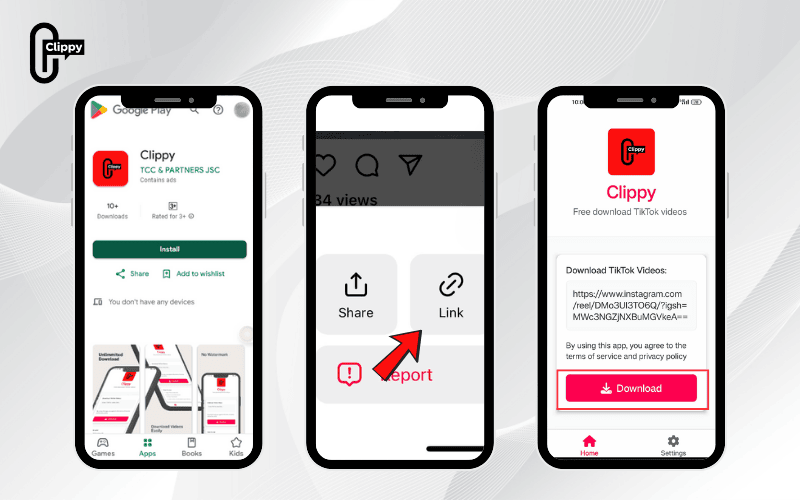
How to download Instagram videos with music using Clippy
If you’re looking for a quick and easy way to download Instagram videos (with music) without any watermarks, Clippy is a perfect solution. Developed by TCC, Clippy is a free app that supports HD video downloads at stable speeds with no ads.
Steps to download and use Clippy:
- Step 1: Go to CH Play (Android) or App Store (iOS), search for “Clippy,” and install the app.
- Step 2: On Instagram, copy the link of the video you want to save.
- Step 3: Open Clippy, paste the link, and choose your desired quality.
- Step 4: The video will be saved directly to your phone – completely watermark-free.
How to save Instagram videos with audio using SnapInsta
SnapInsta is a free online tool that supports downloading all types of content from Instagram, including photos, videos, Reels, and Stories, with full audio and high quality.
How to download Instagram story video with music:
- Step 1: Open Instagram (app or website), log in to your account, select the photo/video/Reels/Story you want to download, and tap Copy Link.
- Step 2: Go to SnapInsta, paste the URL into the input box, and tap Download.
- Step 3: The system will process and display the data. Tap Download to save the photo or video to your device.
- Step 4: Open the downloaded file in your phone or computer’s gallery and enjoy
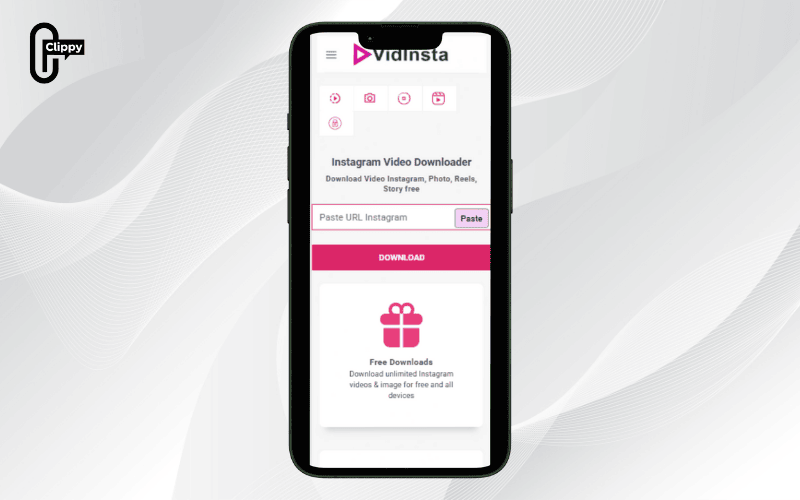
How to download Instagram videos with music using VidInsta
VidInsta is another great option for quickly downloading Instagram videos with audio. This is a completely free online website that supports high-quality video downloads from Instagram with full sound. Here’s how to save Instagram videos with audio using VidInsta:
How to download video on Instagram with music:
- Step 1: Open the Instagram app and find the video you want to download. Tap the three-dot icon in the top or bottom corner of the video, then select Copy Link to save the video’s address.
- Step 2: Open a web browser on your phone or computer and go to the VidInsta.to page. Paste the link you just copied into the empty box on the homepage and tap the Download button.
- Step 3: The system will process and display a green Download button. Just click this button again, and the video will automatically be saved to your gallery with both video and audio.
>>> See Also: How to download Instagram videos to phone easily in minutes
Download Instagram videos with music via IQSaved
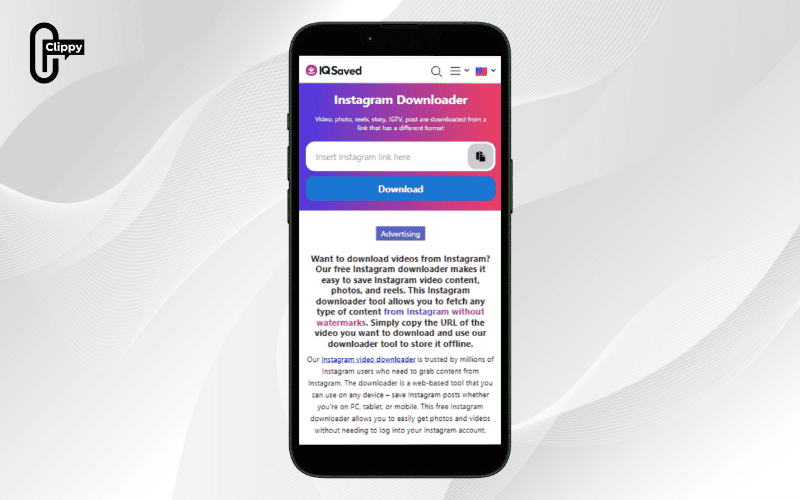
IQSaved is a completely free online platform that lets you download Instagram videos in high resolution along with their original audio. Its simple, intuitive design makes it easy to use on both phones and computers, so you can quickly save your favorite content without installing additional software.
Here’s how to download videos with music on Instagram using IQSaved:
- Step 1: Launch Instagram, find the video you want, and tap the three-dot (…) icon to copy its link.
- Step 2: Open a browser, go to iqsaved.com, paste the copied link into the field provided on the homepage, and click Download.
- Step 3: IQSaved will process the link and provide various download options. Select your desired resolution and press Download Video. Your chosen video will be saved to your device’s library with its full original sound.
>>> See Also: Instagram can’t save video? Try this easy fix that works
How to download Instagram videos with music using the SSSInstagram Tool
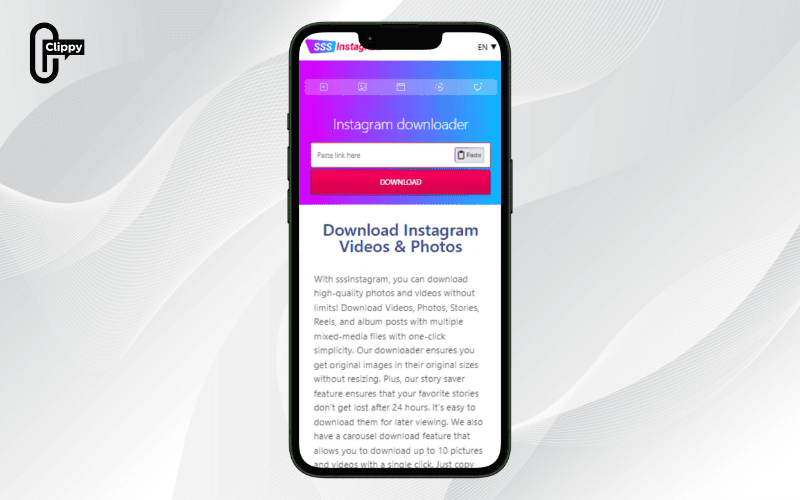
SSSInstagram is a free online tool that allows users to quickly download high-quality Instagram videos with audio without needing to install any additional software. The method for downloading Instagram videos with this tool is as follows:
- Step 1: Open the Instagram app, find the video you want to download, and tap the three-dot icon (…) in the corner of the post to copy the link.
- Step 2: Go to the website sssinstagram.com/vi/video-downloader in your browser and paste the copied link into the search box.
- Step 3: Tap Download and wait for the tool to process. Next, select the Download Video button to save the Instagram video with audio to your device.
How to download Instagram videos with music Using FastDL
FastDL is an online tool that helps you quickly save Instagram photos, videos, Reels, and Stories to your iPhone in just a few simple steps. Its advantages include ease of use, fast processing speed, and the ability to choose your preferred download quality.
How to download Instagram video with sound:
- Step 1: Open Instagram, log in to your account > open your browser and visit FastDL.
- Step 2: Find the Instagram post containing the photo or video you want to download.
- Step 3: Tap Copy Link on the post > paste it into the input box on FastDL.
- Step 4: Wait for the system to process > select your preferred quality > tap Download to save it to your iPhone.
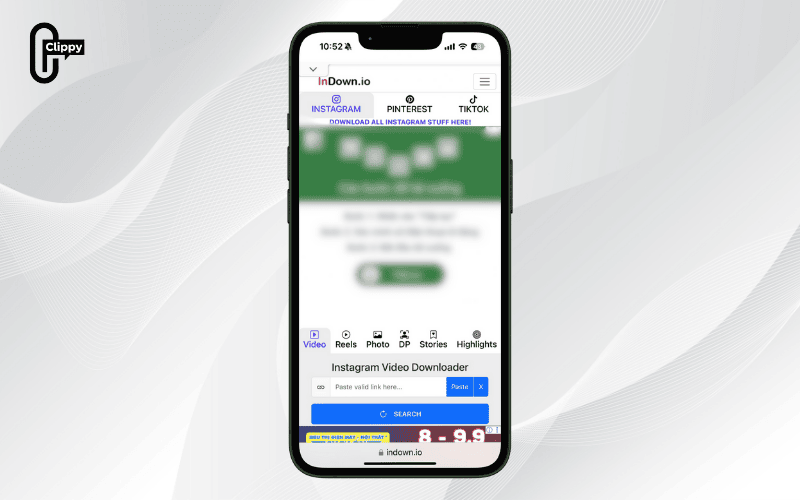
How to download Instagram videos with music Using Indown
Indown is a simple, web-based Instagram video downloader that lets you save videos to your device in just seconds.
How to download music for Instagram:
- Step 1: Open Instagram, choose the video you want to download > tap Copy Link to copy its URL.
- Step 2: Open a browser and visit indown.io.
- Step 3: Paste the copied URL into the input field, and the system will automatically sync the video.
- Step 4: Tap Download to save the video to your device.
>>> See Also: How can I download Instagram video fast & easily?
How to download Instagram videos with music using an App
To save Instagram videos with music more conveniently, you can also use specialized apps designed for your phone.
How to save Instagram videos with audio using InstaSave
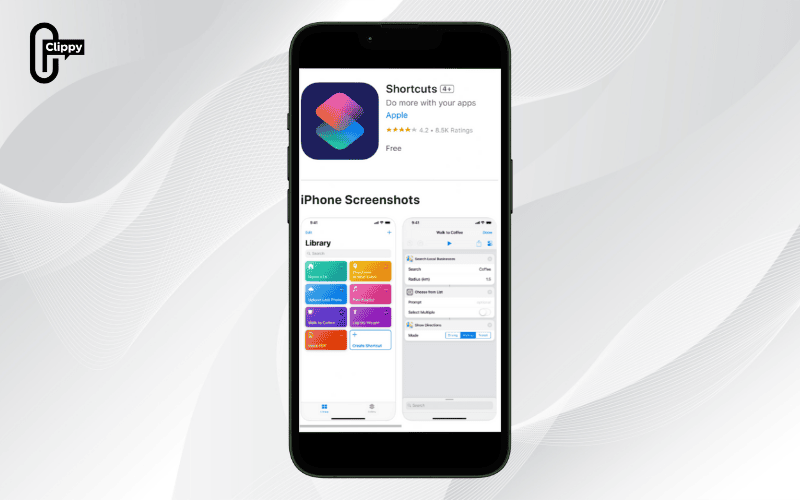
If you’re an iPhone user, you can use the InstaSave shortcut with the Siri Shortcuts app to save Instagram videos with music quickly and easily. Here are the steps to download a video using this method:
- Step 1: First, you need to download the Shortcuts app, which is available on the App Store. Then, follow the provided link to get the specialized InstaSave shortcut for downloading Instagram videos.
- Step 2: Open the Instagram app and find the video or photo you want to save. Tap the three-dot icon (…) in the top corner of the post, and then select “Share to…”.
- Step 3: From the list of sharing options, select the Shortcuts icon. The system will automatically show the InstaSave shortcut that you added in Step 1. Tap it to begin the download process. If it’s your first time using it, you may need to confirm that you want to run this shortcut.
- Step 4: After running the shortcut, the process will take a few seconds to complete. When finished, a notification will appear to confirm your successful download. The video or photo will be automatically saved to your photo library, ready for you to view anytime.
>>> See Also: How to download a photo from Instagram quickly and easily
How to download Instagram videos with music using Instant Save
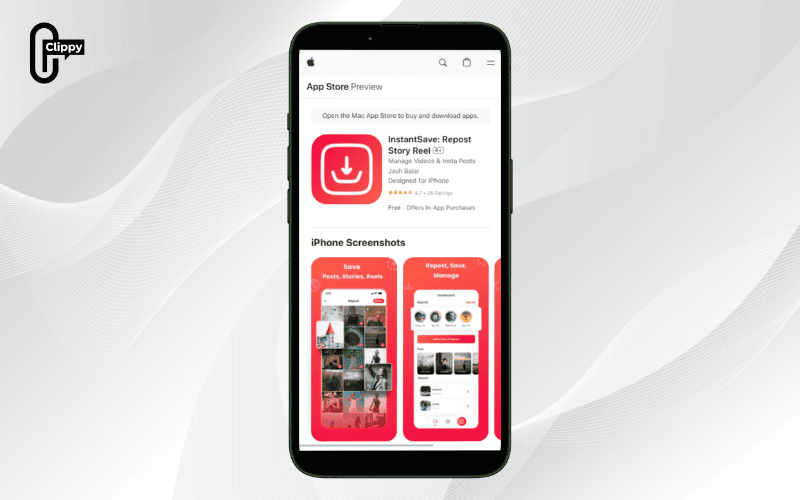
Instant Save is one of the most popular and effective apps for downloading videos and photos from Instagram to your iPhone. This app allows you to save your favorite content in high quality with full audio in just a few simple steps. Here’s how to download Instagram videos with music using this method:
- Step 1: Log into your Instagram account on your phone and find the video you want to download. Tap the three-dot (…) icon on the post, then select Link to copy the video’s URL.
- Step 2: Instant Save will automatically process and detect the video from the link you pasted. At this stage, simply tap the Save button.
- Step 3: The app will request access to your photo library. Choose Allow Access to All Photos to complete the download process. The video will then be successfully saved to your iPhone’s photo album.
>>> See Also: Why cant I save videos on Instagram? Problem solved fast
How to download Instagram videos with music Using InsMate Pro
InsMate Pro is a powerful assistant app for Instagram users, allowing you to quickly download videos and photos to your Android phone. Additionally, the app keeps track of accounts you frequently visit and lets you view downloaded videos directly within InsMate Pro.
How to download Instagram videos with music:
- Step 1: Open the Instagram app and log in to your account.
- Step 2: Go to the video you want to download > tap the Share icon > select Copy Link.
- Step 3: The InsMate Pro app will automatically detect the URL and start downloading the video to your device.
How to download Instagram videos with music using Story Saver
If you’re using an Android phone, Story Saver is a free app on Google Play that allows you to quickly download videos, Stories, and IGTV content from Instagram. With just a few simple steps, you can save all your favorite moments in seconds.
How to save Instagram videos with music:
- Step 1: Go to Google Play, download, and install the Story Saver app.
- Step 2: Open the app and log in to your Instagram account.
- Step 3: Tap the search (magnifying glass) icon to find the account containing the video you want.
- Step 4: Navigate to one of the three sections: Feed, Story, or IGTV, depending on the type of video.
- Step 5: Select the desired video > tap Download to save it to your phone.
Why are Instagram videos saved without sound?
There are several reasons why a downloaded Instagram video might not have audio, including:
- Original video has no music or sound: Some Instagram content is purely visual with no accompanying audio.
- Music copyright issues: Instagram may mute videos containing copyrighted music, so even when downloaded, they remain without sound.
- Downloader limitations: Certain Instagram download tools only save visuals without including audio tracks.
- Device settings: If your phone or computer has sound disabled or lacks permission to store audio, downloaded videos may not include sound.
>>> See Also: How to download audio from Instagram online free in seconds

Above is a summary of over 10 simple and effective ways on how to download Instagram videos with music. Whether you use an iPhone, an Android phone, or even a computer, these methods will help you easily save your favorite clips. We hope that with this article from Video Download Free, you will no longer have trouble downloading Reels, Stories, or any other videos from Instagram.

