


Need to send money fast without downloading another app? Facebook Messenger lets you do it directly in a conversation. This article explains how to send money on Facebook Messenger, what’s required, and what to watch out for. Discover the full guide with Video Download Free here.
Quick Guide
To send money on Facebook Messenger, open a conversation and tap the payment ($) or plus (+) icon, then enter the amount you want to send. Confirm the payment using your linked debit card, PayPal, or Meta Pay, and approve it with your payment PIN for added security. The money is transferred directly from your bank or PayPal account to the recipient’s, with no Messenger fees, but the feature requires prior setup and is available only on mobile devices in the U.S.
How Facebook Messenger payments work
You can access Facebook Messenger on your desktop or send and receive payments directly through the mobile app. Sending and receiving money on Messenger is completely free, with no extra fees involved.
One key benefit of using Messenger for payments is how easy it is to split costs with multiple people. For example, when planning a group event, participants in a group chat can quickly reimburse the person who paid upfront for tickets or reservations.
Although Messenger payments are designed to feel quick and casual, there are a few requirements you must meet to use the service:
- You must have an active Facebook account.
- Payments must be funded using a U.S.-issued Visa or MasterCard debit card or a PayPal account (some prepaid cards may also be supported).
- You must be at least 18 years old to use Messenger payments.
- All participants involved in the transaction must be located in the United States.
How to send money on Facebook Messenger on Mobile
Sending money through the Facebook Messenger app is a fast and simple way to transfer funds directly from your phone or tablet. Once your payment method is set up, you can send money to friends or family in just a few taps without leaving the chat.
Step 1: Open the Facebook Messenger app on your iPhone, Android device, or tablet.
Step 2: Start a new conversation by tapping the new message icon in the top-right corner, or open an existing chat by selecting the person from your inbox.
Step 3: Inside the conversation, tap the dollar sign ($) located to the left of the text box. If this is your first time sending money, tap OK to continue when prompted.
Step 4: Enter the amount you want to send and add an optional note to explain the payment.
Step 5: Tap Pay, then choose to link a PayPal account or debit card. Follow the on-screen instructions to save your payment method and tap Pay again to complete the transaction.
>>> See Also: How to delete Facebook messenger and erase your data fast
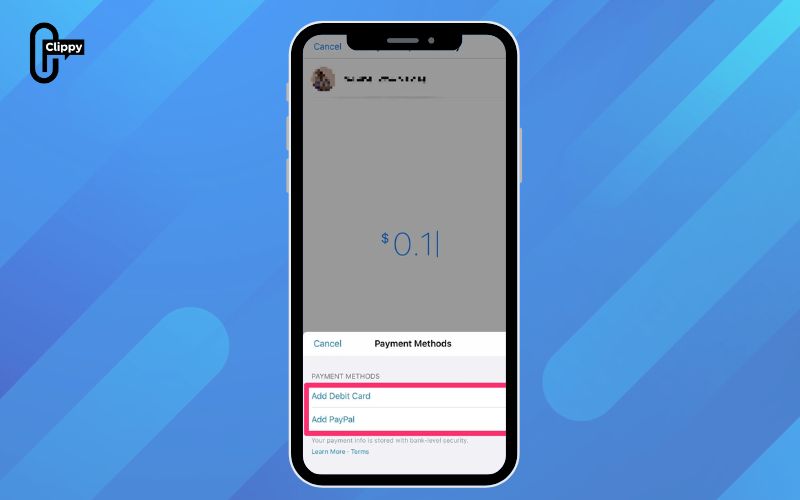
How to send money on Facebook Messenger desktop
Sending money through Facebook Messenger on a computer is a quick and convenient way to transfer funds without leaving your conversation. As long as your payment method is set up, you can complete a transaction in just a few clicks directly from Messenger on your Mac or PC.
Step 1: Open Facebook on your Mac or PC and log in to your account.
Step 2: Start a conversation with the person you want to send money to by clicking the Messenger icon in the top menu or selecting the contact from the Contacts list on the right side of the screen.
>>> See Also: How to turn off Facebook Messenger email notifications fast
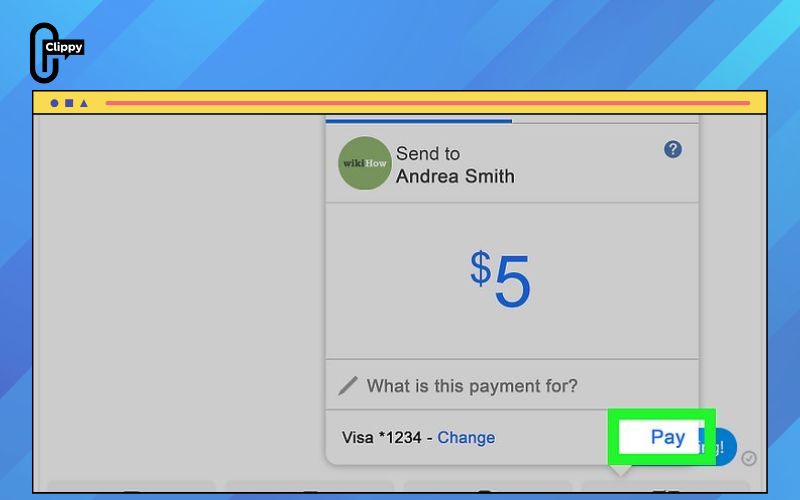
Step 3: In the chat window, click the dollar sign ($) located at the bottom-right, just below the message text box, to begin the payment process.
Step 4: Enter the amount you want to send and add your debit card details if prompted.
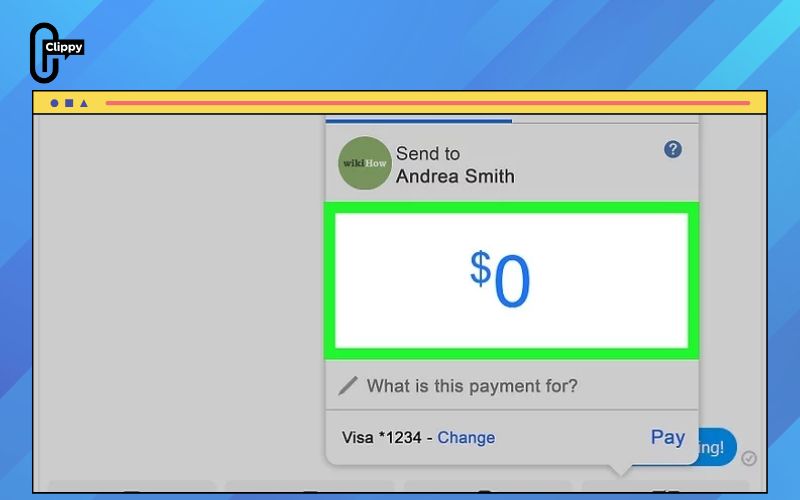
Step 5: Click Pay to complete the transaction. The money will be sent securely through Messenger.
>>> See Also: How to turn off read receipts on Facebook Messenger fast
Are Facebook Messenger Payments safe?
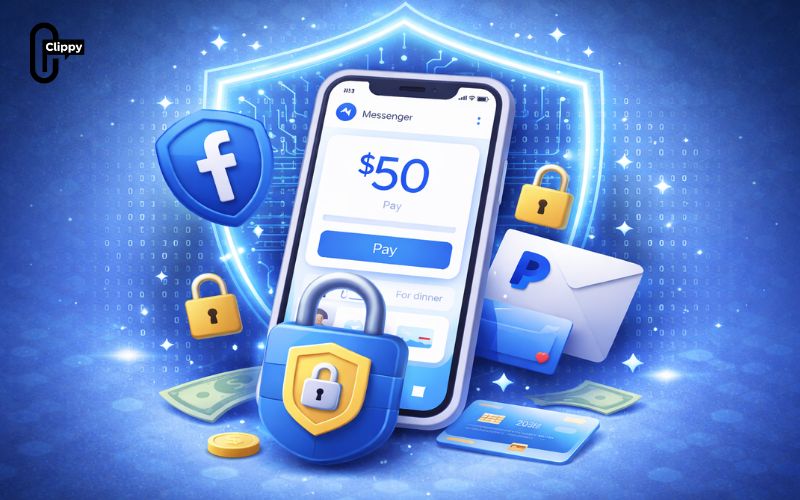
Facebook states that Messenger payments are built with security in mind, protecting both your money and personal information. However, anytime you send or receive money online, it’s important to understand the risks and take extra precautions to avoid fraud, privacy issues, or unauthorized transactions.
Beware of fraud and irreversible payments
Messenger payments cannot be canceled once sent, and refunds depend entirely on whether the recipient chooses to reject the payment. Facebook also offers limited consumer protection for purchases made through Messenger, so it’s safest to assume that once the money is sent, it’s final.
Tip: Only send money to people you personally know and trust. Always verify identities carefully, as fake or impersonator accounts are common on Facebook and often used in scams.
Account security measures
To reduce the risk of unauthorized payments, you can set up a Messenger payment PIN or enable biometric authentication such as fingerprint or facial recognition, where supported. While these features are optional, using them adds an extra layer of protection and is strongly recommended.
Data security and encryption
Facebook reports that payment details and personal data are encrypted and protected by anti-fraud systems designed to detect suspicious activity. Financial information is stored separately from your main Facebook profile, which helps reduce exposure if part of the system is compromised.
>>> See Also: How to update Facebook Messenger and unlock new features
Privacy considerations
Privacy remains a concern when using any social platform for payments. When you send money on Messenger, your name, profile photo, and payment amount are shared with the recipient, and transaction data is stored on Facebook’s servers.
Note: In group payments, all group members can see payment details. If this feels uncomfortable, it’s better to handle payments privately in one-on-one chats.
Ongoing account monitoring
In addition to watching your Facebook account, regularly review your linked bank or PayPal account. Enable transaction alerts and contact your bank immediately if you notice any unfamiliar or suspicious charges.
>>> See Also: How to share location on Facebook Messenger and meet easily

FAQs about how to send money on Facebook Messenger
Sending money through Facebook Messenger often brings up questions about limits, fees, and common issues. Below are the most frequently asked questions, rewritten and explained clearly from an expert perspective to help you understand how Messenger payments really work.
How much money can you send through Facebook?
Facebook does not publicly list a fixed spending limit for Facebook Pay or Messenger payments. In most cases, the amount you can send depends on the available balance in your linked checking account or PayPal account, as well as any limits set by your bank.
Why can’t I send money to someone on Facebook?
Payment issues are usually related to problems with the sender’s or recipient’s linked bank account or PayPal account. Transactions may also fail if the recipient declines the payment or if you attempt to send money to someone in a different country, which Messenger payments do not support.
Does Facebook Messenger charge fees to send money?
Facebook does not charge any fees for sending or receiving money through Messenger. However, your bank or payment provider may apply their own charges, so it’s a good idea to check with them if you notice unexpected fees.
Understanding how to send money on Facebook Messenger makes paying friends faster and more convenient than ever. From setting up your debit card or PayPal to confirming a secure transfer, the entire process happens right inside your chat. With no Messenger fees and built-in security features, it’s a practical option for everyday payments. Once you know the steps, sending money becomes simple, safe, and stress-free.

Clippy – A free tool for downloading TikTok, Douyin, Instagram Reels, and Facebook videos in high quality with no watermark – fast, simple, and works on both mobile and desktop. Save your favorite social media videos in just a few clicks, with multiple formats supported and no account required.