


If your Facebook videos suddenly play in complete silence, you’re not alone. Thousands of users search “How to unmute sound on Facebook video” every day because the issue appears without warning. In this guide, Video Download Free will show you exactly how to restore your audio instantly and if you want to save videos for offline viewing later.
Quick steps
To quickly unmute a Facebook video, simply click the speaker icon on the video player to turn the audio back on. If you still don’t hear anything, make sure your device’s volume is turned up and not muted, then double-check your browser or app sound settings to confirm that Facebook is allowed to play audio.
Why there’s no sound on Facebook videos or reels
If your Facebook videos or reels suddenly play without sound, it can be confusing but the cause is usually simple. Most audio issues come from device settings, app behavior, or small glitches that are easy to fix. Here are the most common reasons why the sound may not work.
- Your phone is in Silent or Vibrate mode: When your device is set to silent or vibrate, Facebook may automatically mute all video audio. Switch back to normal sound mode and try playing the video again.
- Media volume is too low: Even if your ringtone volume is high, your media volume might still be muted. If the media slider is turned down, you won’t hear anything while watching videos.
- Facebook mutes videos by default: Many videos start without sound to prevent noise when scrolling the feed. Simply tap the video or the speaker icon to turn the audio on.
- The app or browser is glitching: Temporary bugs can cause audio playback to fail. Closing and reopening the Facebook app (or refreshing your browser) usually fixes the issue right away.
- Your Facebook app needs an update: Older app versions may have sound-related bugs. Updating to the latest version often restores proper audio functionality.
- Bluetooth is connected to another device: Your phone might be sending audio to Bluetooth headphones, speakers, or your car system. Disconnect Bluetooth to bring the sound back to your phone’s speakers.
- The video file has no sound: If only one video has this issue, the audio track might be missing or corrupted. In this case, the problem is with the video itself, not your device.
- Sound permissions are disabled: Facebook needs permission to use your device’s audio features. If sound-related permissions are turned off, the app won’t be able to play audio.
How to unmute sound on Facebook video
If your Facebook video is playing without sound, unmuting it is usually quick and straightforward. Below are the simplest steps you can follow to turn the audio back on, whether you’re using a phone, tablet, or computer.
On Mobile
Sometimes the reason you can’t hear anything on a Facebook video is simply because the clip has no audio track or was uploaded without sound.
Before troubleshooting your device, try playing a few other videos to confirm whether the issue is specific to one clip or happening across all videos. Once you know the video actually contains audio, follow these steps to turn the sound back on.
Step 1: Look for the speaker icon on the bottom-right corner of the video.
>>> See Also: How to Facebook video call properly with clear video & audio
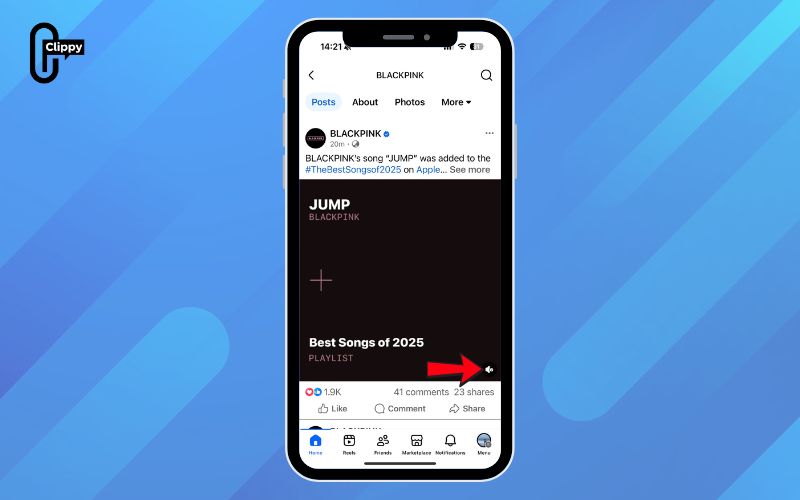
Step 2: If you see an “X” or a muted symbol, tap it once to enable audio.
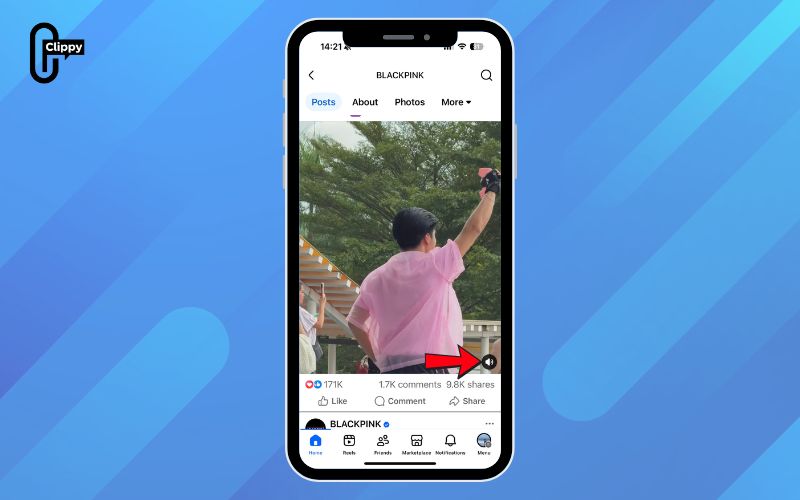
Step 3: Check the in-app volume slider and make sure it’s turned up. Facebook often starts videos muted by default to keep your feed quiet while scrolling.
If the video is unmuted and your volume is up but all videos are still silent, continue to the next troubleshooting method.
On Computer
When you’re watching Facebook videos on a computer, the sound may stay muted due to browser settings, Facebook’s default mute behavior, or the video player itself. If the audio doesn’t play automatically, follow these steps to manually turn the sound back on, especially helpful when searching for How to unmute sound on Facebook video on desktop.
How to unmute sound on Facebook videos on a computer:
Step 1: Hover your mouse over the video and look for the speaker icon in the bottom-right corner.
>>> See Also: How to unlike a video on Facebook even if it disappears
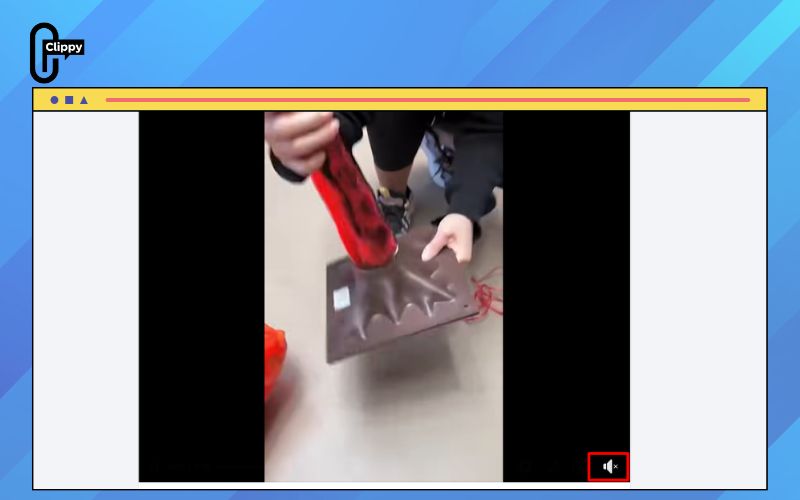
Step 2: If the icon shows a muted symbol or an “X”, click it once to activate sound.
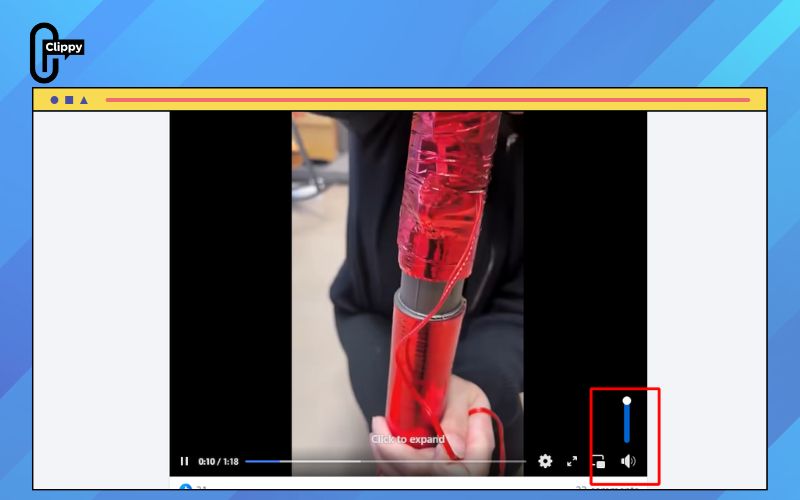
Step 3: Check your computer’s media volume and make sure it’s not set to zero.
Step 4: Right-click the browser tab and ensure the website is not muted (select “Unmute site” if needed).
Step 5: Verify that your audio output device such as speakers or headphones—is selected correctly in your system sound settings.
If the video still has no audio after these steps, the issue may be related to your browser, a temporary glitch, or the video itself.
FAQs about how to unmute sound on Facebook video
If you’re still unsure why your Facebook videos have no sound, these quick FAQs cover the most common questions users ask. Each answer is simple, practical, and designed to help you troubleshoot audio problems faster.
Why are Facebook Reels muted?
Many Reels use copyrighted music, and when Meta detects unlicensed audio, the platform automatically mutes the sound to avoid copyright violations. In these cases, the audio cannot be restored by the viewer.
Why do Facebook ads have no sound?
Facebook ads always start muted to prevent unexpected noise while you scroll. You need to tap the video or hover your mouse over it to enable sound manually.
Can I unmute Live videos?
Yes, just tap the speaker icon on the Live video player. However, if the host has muted their microphone, you will not hear anything until they turn their audio back on.
Why does Facebook mute copyrighted music?
Facebook follows US copyright laws (DMCA), which require platforms to restrict or mute audio that isn’t properly licensed. When copyright status is unclear or flagged, Facebook often mutes the soundtrack to stay compliant.
How do I fix sound on Facebook Web?
Start by checking whether your browser tab is muted, then confirm that Facebook has permission to play sound. Also verify your system’s output device and adjust the autoplay or sound settings inside Facebook’s video preferences.
>>> See Also: How to record Facebook video even if download is blocked
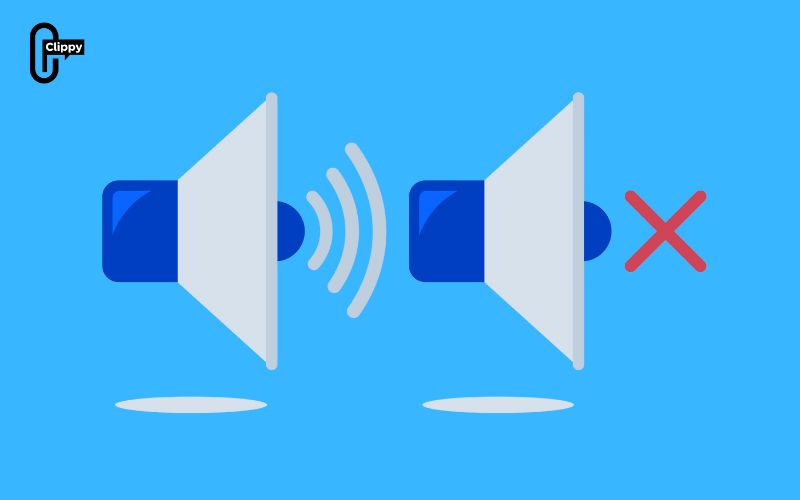
Now you know exactly how to unmute sound on Facebook video and fix every common audio issue from muted icons and browser settings to device volume and autoplay restrictions. Most problems take just a few seconds to solve once you understand where the sound is being blocked.
Whenever Facebook goes silent again, simply follow the steps in this guide and you’ll get your audio back instantly. And if you want even more control over your videos, stay tuned for additional tools and tips to improve your viewing experience.

