


Playing games on Messenger is one of the fastest and most entertaining ways to connect with friends – no downloads, no waiting, just instant fun. If you’ve ever wondered how to play Facebook Messenger games or why some features appear differently on your device, this guide breaks everything down clearly.
From video-call games to hidden emoji mini-games, Messenger offers more options than most users realize. Ready to unlock all the ways you can play? Let’s find out with Video Download Free in the following article.
Quick Guide
You can play games on Messenger by starting a video call and tapping Play Together, or by opening games from the Facebook Gaming tab. Some games also launch when you send certain emojis in chat.
Why play games on Facebook Messenger?
Messenger games offer a fast, effortless way to have fun without installing extra apps or leaving your conversation. They turn simple chats into interactive moments that feel natural, spontaneous, and more connected.
- Instant access without downloads: Games launch directly inside Messenger or Facebook, so you can start playing immediately without switching apps or creating new accounts.
- Fun during conversations: You can jump into a game right in the middle of a chat or call, making the experience feel seamless and adding a playful break to your conversation.
- Perfect for remote bonding: Whether you’re far from family, friends, or a partner, real-time games during video calls help you stay connected and share lighthearted moments.
- Extra engagement with emoji mini-games: Hidden games triggered by emojis bring surprise and excitement, making everyday messaging more fun and expressive.
- Turns chats into shared experiences: Messenger games transform ordinary conversations into something interactive, helping strengthen relationships through simple, enjoyable activities.
How to play games on Facebook messenger by Video Call
Playing games on Messenger is quick and easy, just start a call and open the Play Together menu. Follow the steps below to jump into a game with your friends instantly.
Step 1: Start a Messenger call
Open Messenger, select the chat (one person or a group), and tap the call icon. You must be in an active call for games to work.
Note: iPads are not supported. Download the Messenger app if you don’t have it.
Step 2: Tap the purple-pink 2 x 2 grid icon
Tap the purple and pink 2 x 2 grid button at the bottom of the screen – it looks like a console controller’s button layout.
>>> See Also: How to delete Facebook messenger and erase your data fast
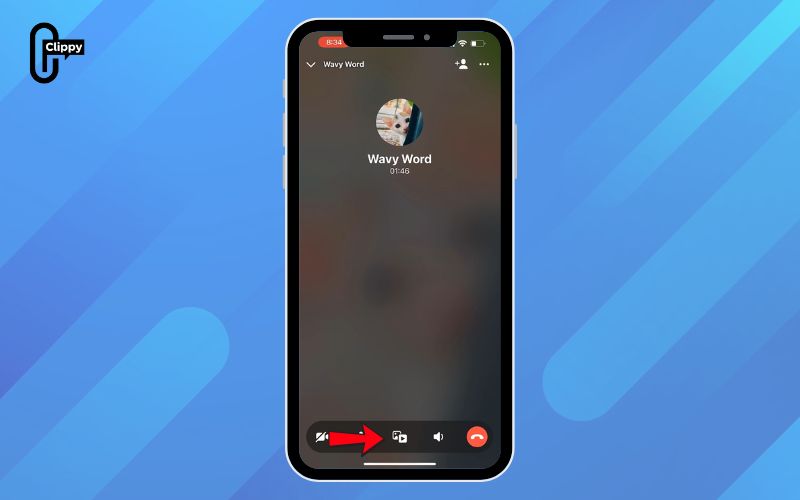
Step 3: Tap the controller icon
Select the controller icon labeled Play to open the game menu.
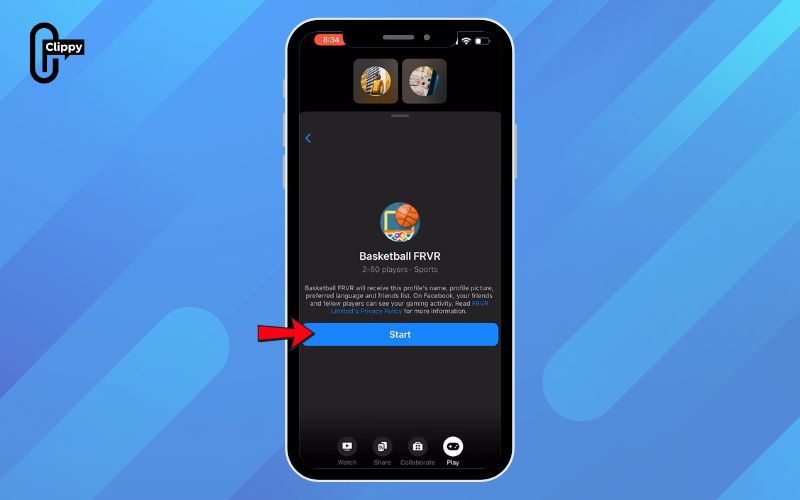
Step 4: Choose a game to play
Pick any game under Play Together. Your friend will need to tap Join to play with you. When you’re finished, tap Leave Game and choose either Leave game or End game for all.
>>> See Also: How to unrestrict someone on Facebook Messenger fast 2026
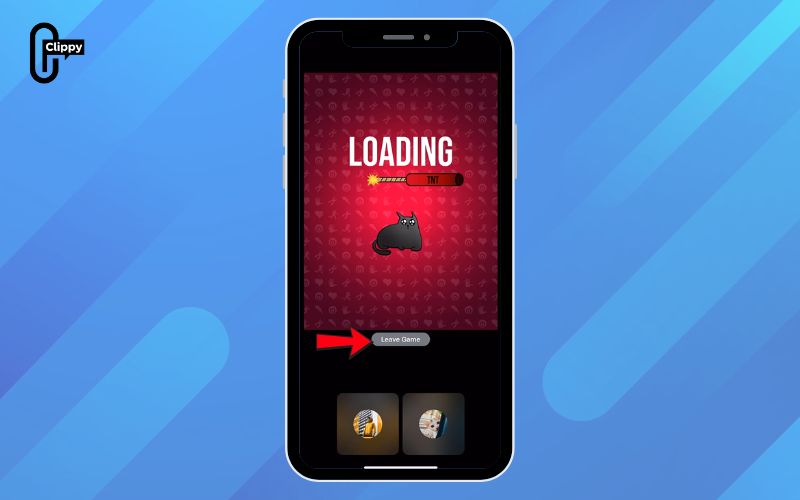
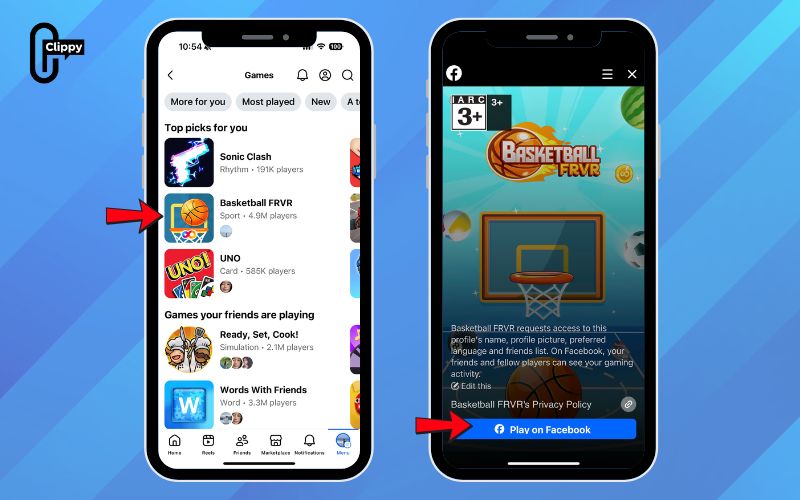
How to play Facebook games on messenger by Facebook Gaming tab
If you want to play solo games like Scrabble or poker, you can access them directly from the Facebook mobile app. Just open your profile menu and browse the available game library.
Step 1: Open the Facebook mobile app
Tap the Facebook icon (white f on a blue background). Solo games are available on Android, iPhone, and iPad.
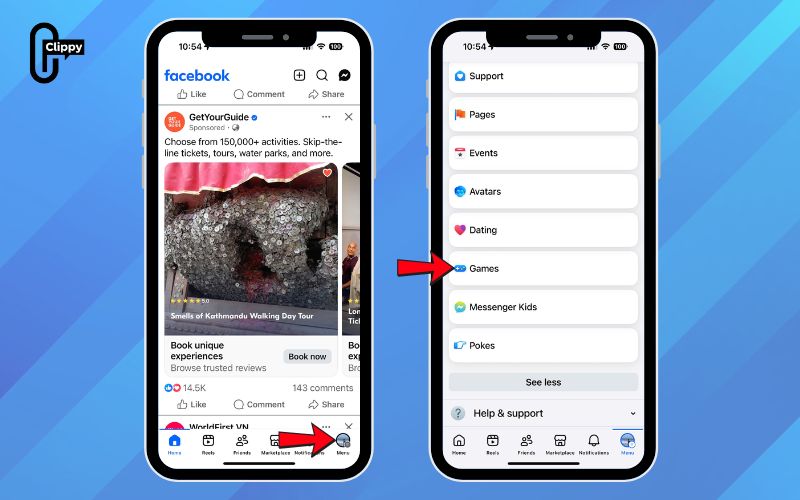
Step 2: Tap your profile picture
You’ll find it on the far right, next to the three-line menu. This opens your main account menu.
Step 3: Tap Games
Scroll down if needed and select Games – the icon looks like a blocky blue G.
>>> See Also: How to find my Facebook messenger username most users skip
Step 4: Choose a game
Browse your Recently Played titles or pick something new under Game suggestions, then tap the game you want.
Step 5: Tap Play on Facebook
Press Play on Facebook at the bottom of the screen to launch the game and start playing.
How to play Facebook messenger games with secret emoji games
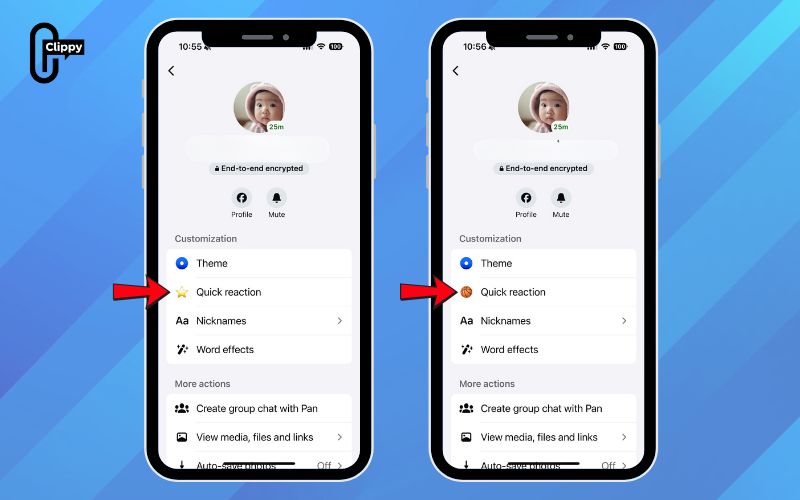
Messenger also includes hidden mini-games that unlock when you send certain emojis in a chat. It’s a quick, fun way to play without opening menus or starting a call.
Step 1: Open a chat with a friend
Choose any conversation where you want to try a hidden mini-game.
Step 2: Send a specific emoji
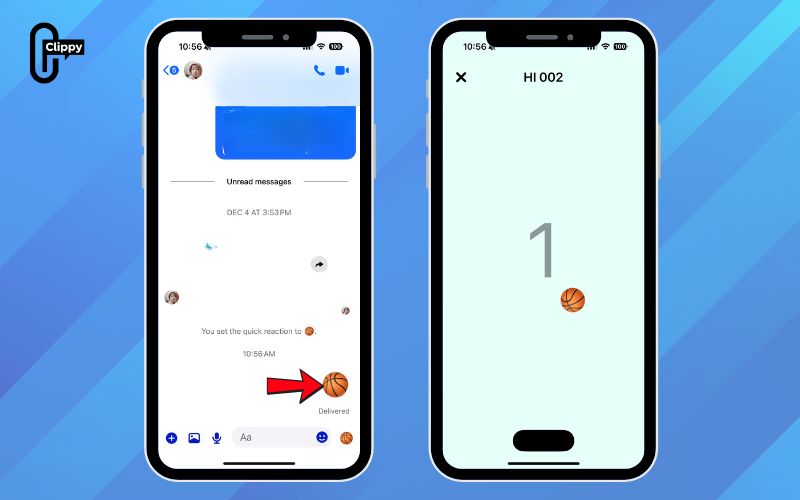
Some emojis – like a basketball, soccer ball, or others can trigger a mini-game. After sending the emoji, a pop-up may appear inviting you to start playing.
>>> See Also: How to create group chat in Facebook Messenger for Beginners
Step 3: Start the game from the pop-up
If a mini-game is available, tap the prompt to launch it right inside the chat.
Important notes when playing games on Messenger
Before you start, keep in mind that Messenger’s game features vary depending on your device and region. Some games also require extra permissions or may only be accessible through Facebook or supported third-party apps.
- Check device and region compatibility: The Play Together feature isn’t available everywhere and may not appear on certain phones or tablets.
- Grant necessary permissions: Some games may ask for access to features like your microphone, camera, or profile info before you can play.
- Explore additional game sources: If a game isn’t available in Messenger, try the main Facebook app or third-party game apps that connect through Messenger.
Are Messenger Games still available in 2026?
Yes. Messenger games are still available, but the way you access them has changed over time. Some older standalone Messenger games were removed, while new Play Together features were added for video calls. Facebook continues shifting game availability between Messenger and the main Facebook app.
While certain regions may see reduced game options, most users can still play through Play Together, Facebook Gaming, or emoji mini-games. Keeping Messenger updated ensures the best compatibility.
>>> See Also: How to change Facebook Messenger background with hot topics
FAQ about playing games on Facebook Messenger
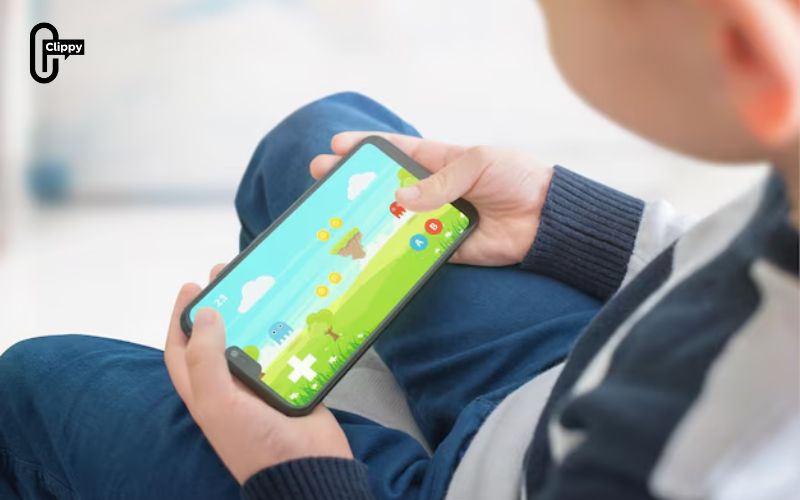
Messenger games work differently depending on your device, region, and the version of the app you’re using. Below are the most common questions people ask, along with clear explanations to help you avoid confusion and play smoothly.
Do I need to download anything to play Messenger games?
No. Most Messenger games run directly inside the Messenger app or through the Facebook mobile app without requiring additional downloads. However, some third-party games may redirect you to external apps or Facebook Gaming if they’re not supported inside Messenger.
Can I play Messenger games without a Facebook account?
You’ll need a registered Facebook or Messenger account to access gaming features, because the platform uses your profile to manage game progress and multiplayer connections. Guest play or anonymous play is not supported on Messenger’s gaming system.
Why do some games lag during video calls?
Lag usually happens when your internet connection is unstable or when your device is overloaded with background apps consuming CPU or RAM. Video calls already use a lot of bandwidth, so adding a game on top can cause delays if your network or device isn’t strong enough.
Can I play Messenger games with more than one friend?
Yes. Some Play Together games support multiple participants in the same group call, but availability varies by title. Not all games are designed for group sessions, so you may see different options depending on the game’s multiplayer features.
Are hidden emoji games available for everyone?
Not always. Emoji mini-games depend on your region, device type, and Messenger app version. Facebook has removed or limited some emoji games over the years, so certain users may no longer see them even if others still can.
Learning how to play Facebook Messenger games is simple once you know where each feature lives whether through video calls, the Facebook Gaming tab, or hidden emoji mini-games. Messenger makes it easy to turn any conversation into a fun, interactive experience.
With just a few taps, you can play with friends anytime, anywhere without downloading additional apps. Hopefully this guide helps you take full advantage of all the ways to play games on Messenger, making it easy and fun.

